You've got the experience. The problem is that every engineering posting wants a slightly different version of it, and the resume that sold one backend role can look stale for a data platform job, a staff engineer opening, or a remote startup req. A strong resume builder for engineers has to do more than format text. It has to preserve technical projects, surface measurable impact, keep ATS parsing clean, and make it easy to tailor the same source resume into multiple job-specific versions without turning the document into keyword soup.
That's the workflow behind this comparison. Some tools are better at building a clean source resume from scratch, some are better at optimizing an existing draft, and some are really job-search systems that combine alerts, editing, and application tracking. The useful question isn't which builder is “best” in the abstract. It's which one helps you move from a raw engineering background to a role-matched, ATS-readable PDF fast enough to matter.
The data behind hiring makes that distinction matter. In Huntr's application dataset, customized resumes converted 5.75% of applications into interviews or offers versus 2.68% for generic resumes, a 115% improvement. At the same time, one 2026 ATS summary reported that 98.4% of Fortune 500 companies use applicant tracking systems (a figure Jobscan audits every year), and 75% of resumes are filtered out before a human sees them. For engineers, that means the best tool is usually the one that helps you tailor thoroughly, export cleanly, and manage several versions without losing control.
Table of Contents
- 1. FindMeJobs
- 2. Standard Resume
- 3. Reactive Resume
- 4. Teal
- 5. Rezi
- 6. Jobscan
- 7. FlowCV
- 8. Novorésumé
- 9. Enhancv
- 10. Resume Worded
- Top 10 Resume Builders for Engineers, Feature Comparison
- What About LaTeX and the Jake's Resume Template?
- How to Build an Engineering Resume That Clears ATS
- Frequently Asked Questions
- Choose the Builder That Matches Your Next Application
1. FindMeJobs
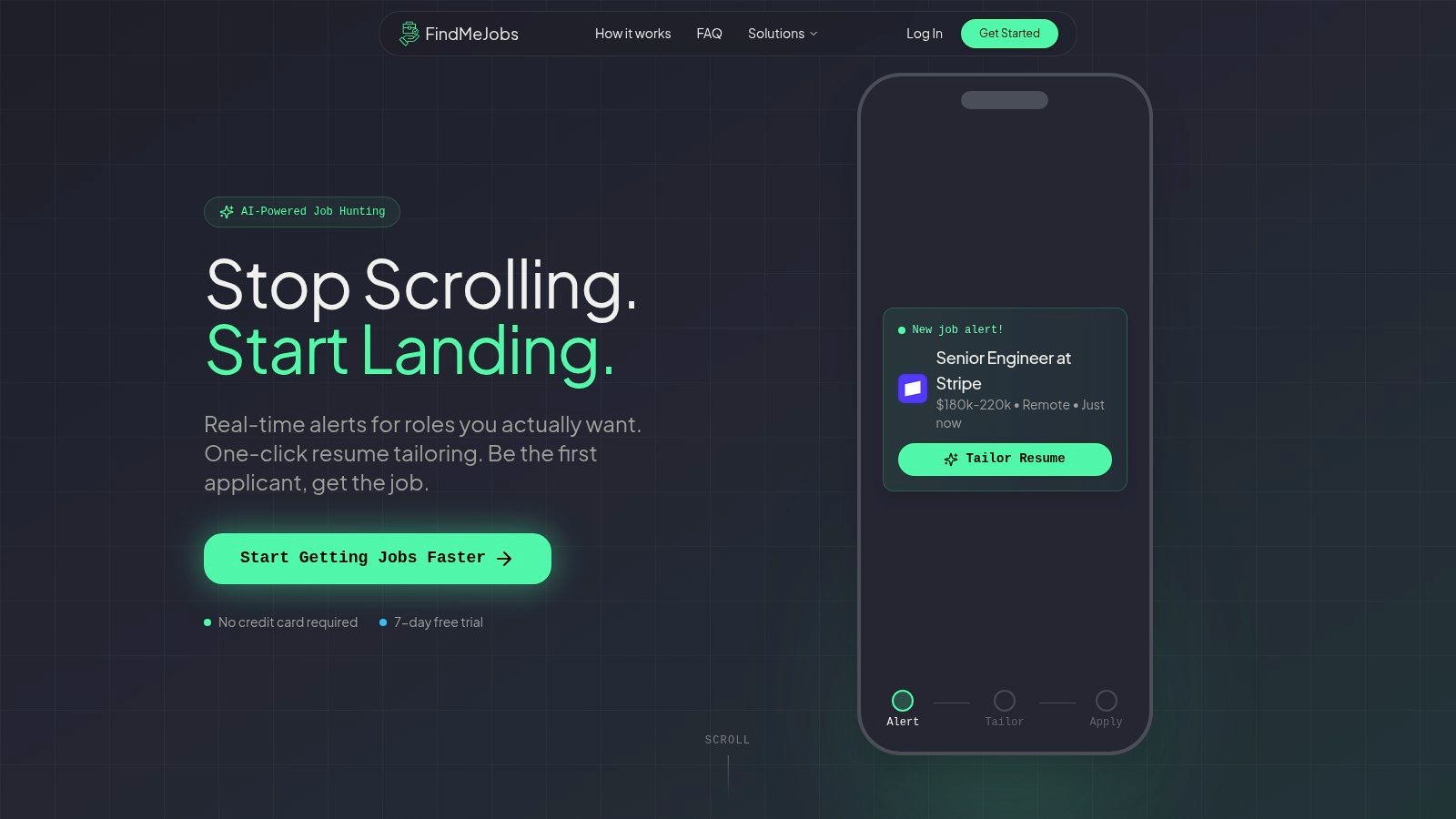
FindMeJobs is closer to a job-search workflow with resume tailoring built in than a standalone resume builder. For engineers, that matches the bottleneck. The hard part is usually not creating a document from nothing. It is spotting a relevant role early, then adapting a source resume before the application pile gets crowded. That makes it useful for candidates whose titles, stacks, and delivery experience shift from one posting to the next.
Our Smart Search Agents scan major job boards and public LinkedIn postings, and alerts usually arrive within 0 to 10 minutes of a posting going live, often within 0 to 4 minutes. That supports an early-application workflow, which matters when timing affects whether a recruiter sees the resume at all (here's what the data says about applying early). We start with discovery, then move into tailoring, instead of treating formatting as the main problem.
Where it fits best in an engineering workflow
FindMeJobs works best when you already have a source resume and need job-specific edits quickly. CoApply AI reviews a posting and suggests concrete text changes, so you can revise projects, metrics, and technologies without relying on generic writing prompts. You also get ATS-optimized PDF export, a split-screen Resume Editor with live preview, PDF/DOCX import, and filters for title, location, company, salary, and keyword logic.
For engineers managing several applications, that combination is more useful than a blank-page editor. It helps you keep one master resume, then produce role-matched versions for software, data, or product openings without rebuilding the document each time.
The trade-off is straightforward. It's a subscription after a 7-day free trial with no credit card required, and the employer's normal application flow still applies. Even so, it fits the part of the process where timing, matching, and clean export matter most. Use it when you want alerts, tailoring, and submission-ready output in one place.
Website: FindMeJobs. If you want to see what's open right now, browse live software engineer roles.
2. Standard Resume
Standard Resume fits engineers who want a clean source resume rather than a guided writing workflow. Its value is restraint. The editor stays out of the way, which helps when your content already has project bullets, stack details, and impact statements that do not need much stylistic handling.
The most relevant engineering feature is the LinkedIn import, which turns an existing profile into a draft quickly. It also offers 12 hiring-manager-reviewed templates, a web resume with view tracking, and clean PDF export for readability and ATS parsing. For engineers comparing a sample resume with an existing draft, the tool is stronger once the source material already exists. It is less about creating content than presenting it clearly. If you're still deciding which titles to aim the resume at, our role pages show the skills employers list for each one.
Why engineers often use it after a first draft already exists
Standard Resume works better once your material is already organized. If you have a usable draft from a previous role, an internal promotion, or a portfolio-based summary, the builder helps normalize layout without forcing a rewrite from scratch. For engineers, that often matters more than picking a decorative template, because the harder decision is which projects belong near the top and which metrics support the claim.
The trade-off is simple. It does not push deep tailoring inside the editor, so it fits a separate application workflow better than high-volume optimization. It also favors a source resume over a sample resume, because it presents your own material cleanly instead of structuring the argument for you.
Website: Standard Resume
3. Reactive Resume
Reactive Resume is the most convincing option here for engineers who care about ownership, portability, and privacy. It's open-source, can be self-hosted, and offers a hosted version if you don't want to run it yourself. The main advantage is control. Your resume data doesn't have to live inside a commercial black box if you'd rather keep drafts local or host your own instance.
The builder also supports client-side PDF generation, multiple resumes, themes, public share links, and optional AI assistance through your own provider keys. That makes it a strong fit for technical users who are comfortable with a little setup in exchange for flexibility. If you like open tools and you want a resume workflow that feels closer to a personal project than a subscription funnel, this is the cleanest pick in the set.
Where it beats starting from scratch elsewhere
Reactive Resume works well when you already know how you want to describe your experience. It won't force you through a heavy coaching flow, and that's a real advantage for senior engineers, open-source contributors, or infrastructure specialists who can write their own bullets. It also handles the practical need to keep several versions around, which matters when one draft leans backend and another leans platform or security.
The best privacy-first resume tool is the one that doesn't make you choose between control and usability.
The trade-off is the absence of strong guided prompts. If you want a system that interviews you into better bullets or compares your content against a job description, you'll need more manual work or an external optimizer. Still, for engineers who want free forever, clean export, and ownership of their files, Reactive Resume is unusually well balanced.
Website: Reactive Resume. If you like the no-account idea but don't want to self-host anything, our free resume builder runs in the browser with no signup and keeps your draft saved locally.
4. Teal
Teal is the best fit when the resume is only one part of a larger job-search CRM. Engineers who are applying to multiple roles at once usually need three things at the same time: tailoring, tracking, and follow-through. Teal combines those in a way that makes sense for high-volume searches, especially if each posting asks for a different mix of languages, frameworks, cloud tools, and deployment experience.
Its resume builder includes AI writing, match scoring against job descriptions, an ATS resume checker, and a keyword scanner. It also folds in an integrated job tracker and application autofill, so the platform is trying to solve the whole application process instead of just the document. That's a meaningful distinction for technical candidates who are juggling saved jobs, different versions of the same story, and a backlog of edits.
Why the tracker matters as much as the editor
A lot of engineers lose time not because they can't write a resume, but because they can't remember which version was sent where. Teal reduces that friction by tying the draft to the application record. That makes it easier to see whether a given resume version emphasizes distributed systems, testing, frontend depth, or cloud migration work.
The downside is the same one most all-in-one systems face. The more the workflow expands, the more the free tier feels like a preview rather than the full system. Still, if you want the builder, the optimizer, and the tracker in one place, Teal is one of the few tools that makes that combination feel practical instead of bloated.
Website: Teal resume builder. Teal tracks the jobs you find. If you'd rather have new engineering openings find you, pair it with a job alert app.
5. Rezi
Rezi is built around one idea: ATS alignment should be measurable. That makes it attractive for engineers because technical resumes often fail for boring reasons, not weak experience. The issue is usually parsing, missing job-language matches, or a structure that doesn't survive an applicant tracking system. Rezi tries to surface those problems directly.
Its AI resume builder focuses on keyword optimization, and the platform's Rezi Score gives you a way to inspect how the resume reads from an ATS perspective. It also uses templates designed for parsing and exports clean PDFs. That makes it a solid pick when you already have the content but want a tool that pressures you to tighten it around the posting.
Best for candidates who like diagnostics
Rezi is most useful when you want feedback that feels concrete. Instead of guessing whether your resume is close enough, you get scoring and guidance that can expose missing technologies, weak phrasing, or structure problems. For engineering roles, that can mean flagging whether the resume names the frameworks, platforms, databases, or CI/CD tools the posting expects.
The risk is over-optimization. A scoring tool can tempt you to chase the number instead of the story, and engineers do that more often than they admit. Rezi works best when you use the score as a diagnostic, then keep the bullets readable and truthful. If your resume already has strong project evidence, the builder can help you align it without turning it into a keyword dump.
Website: Rezi
6. Jobscan
Jobscan is strongest when you want builder plus optimizer in the same ecosystem. Its rebuilt AI Resume Builder pairs with a coach that interviews you, then turns your answers into stronger bullets before sending them into the optimization flow. That structure is useful for engineers who have raw experience but need help converting it into resume language that sounds specific, credible, and job-aligned.
The platform also includes JD-to-resume optimization, match scoring, LinkedIn optimization, and other job-search tools. For technical candidates, that's a useful mix because the resume often needs both content repair and job-specific comparison. If your current draft has solid experience but weak phrasing, Jobscan is better than a pretty template builder.
Where it stands out against general builders
Jobscan is especially helpful when your resume starts as a rough draft. The coach can pull out better bullets from your own answers, which is a stronger path than browsing a template gallery and guessing what to write. That matters for engineers with nontraditional backgrounds, career switches, or resumes that lean too hard on task lists instead of outcomes.
The limitation is that deeper optimization usually sits behind paid access, so the free tier is more of a starting point than a long-term workbench. Still, if your real problem is ATS matching and bullet quality, Jobscan is one of the most direct tools available. It's a better optimizer than a general-purpose design tool.
Website: Jobscan AI Resume Builder
7. FlowCV
FlowCV is a strong choice for engineers who want layout control without getting trapped behind a paywall. The most practical feature is that the first resume is free forever with unlimited, watermark-free PDF downloads. That makes it unusually good for someone building a dependable master resume and exporting a clean PDF without worrying about whether they'll need to pay just to download the file.
The tool also supports 50+ templates, full design control, and import from PDF, DOCX, or images into editable sections. The PDF output stays text-based and ATS-compatible, which is the important part. For engineers, that means you can shape the document more intentionally than you can in some stripped-down builders, while still avoiding layout mistakes that break parsing.
Best when you already know what to say
FlowCV is less helpful if you want the software to coach the writing process. It's a builder, not an optimizer, so it won't give you the same diagnostic layer as Rezi or Jobscan. That makes it a better fit for people who already have their technical stories sorted out and just need a clean, flexible way to present them.
Use FlowCV when you want a reusable master resume, a straightforward PDF, and enough visual control to make the document readable without going decorative. For engineers who value efficiency and don't want the first download locked behind an upgrade, it lands in a very practical middle ground.
Website: FlowCV
8. Novorésumé
Novorésumé works well for engineers who want structure and guidance without giving up polished presentation. Its builder includes step-by-step help, examples, ATS-friendly templates, matching cover letters, multilingual CV support, and portfolio sections. That combination makes it especially useful for people applying across borders or into teams that expect a more formal CV format than a typical U.S. resume.
The reason it's useful for engineers is simple. Technical candidates often have dense experience, and dense experience benefits from a builder that nudges you toward clear sections rather than a blank page. Novorésumé gives you enough guidance to avoid a messy first draft while still letting you control the final shape of the document.
Strong when the sample resume needs structure
If you're starting from a sample resume or a rough old draft, Novorésumé can help you turn that into a cleaner version without making the process feel overly mechanical. The multilingual and portfolio support are especially relevant if your engineering background includes international roles, consulting, or work that needs more context than a standard one-page template allows.
The limitation is that some features are locked behind Premium, so the free experience is best treated as a trial rather than a complete workflow. Still, for users who want a guided builder with global reach and a polished result, Novorésumé remains a sensible choice.
Website: Novorésumé
9. Enhancv
Enhancv is the most visually expressive option in this group that still tries to keep ATS hygiene in view. That makes it a good fit for technical PMs, engineering managers, or engineers who want a slightly more distinctive layout without drifting into something that looks like a portfolio brochure. The builder includes an ATS Check that compares the resume to a job offer, plus AI help and section-level guidance.
Its broad template library and cover letter support make it feel more presentation-forward than the stripped-down builders. That can help when your experience spans product, technical leadership, or cross-functional work and you need a layout that helps the reader separate scope from detail quickly.
Better for presentation than pure optimization
Enhancv is not the most aggressive ATS diagnostics tool in the set, and it's not trying to be. Its real strength is balancing a more expressive document with enough technical discipline to remain readable. That makes it better for candidates who care about visual hierarchy, section pacing, and a resume that doesn't look identical to every other engineer's PDF.
The trade-off is pricing. The fuller experience sits behind paid tiers, and you'll want to check current terms before committing. Use it when the resume needs to look polished and distinct, but not flashy enough to risk readability.
Website: Enhancv
10. Resume Worded
Resume Worded is more of an optimizer than a classic from-scratch builder, and that's exactly why it belongs on this list. Engineers with an existing draft often don't need a prettier template first. They need line-level feedback on whether the bullets show impact, metrics, and relevant skills in a way that matches recruiter expectations. Resume Worded is built for that diagnostic stage.
Its Score My Resume checks, Targeted Resume comparison, AutoFix rewrites, and ATS-ready template library make it especially useful for refining an existing technical resume. If you already have a strong source resume and just need to tighten the content, this is one of the better places to start.
Best for the draft you already trust
Resume Worded shines when the layout is acceptable but the wording is weak. That's common for engineers who can describe systems clearly in conversation but haven't translated that into resume bullets yet. The tool helps identify where the resume is too task-focused, too vague, or too light on outcomes.
The limitation is that it's not really the best choice if you want a full visual builder. It's better at diagnosis than composition, and the Pro plan is needed for unlimited use and fuller reports. Still, when the draft already exists, it can be the most efficient way to improve it before export. If a scanner is what you're after rather than a builder, we ranked the best resume scanners separately.
Website: Resume Worded
Top 10 Resume Builders for Engineers, Feature Comparison
| Product | Core features ✨ | Speed & Quality ★ | Value / Price 💰 | Target / USP 👥 |
|---|---|---|---|---|
| FindMeJobs 🏆 | Real-time 24/7 alerts; Smart Search Agents; CoApply AI resume tailoring; Visual split-screen editor; Telegram + ChatGPT/Claude integrations ✨ | ★★★★★, alerts in 0 to 10 min; job-specific edits in ~30s | 💰 Subscription (7-day free trial; weekly billing) | 👥 Technical pros, remote-first candidates, early-career switchers, first-to-apply advantage |
| Standard Resume | LinkedIn import; 12 hiring-manager templates; web resume + clean ATS PDFs ✨ | ★★★★, minimalist, highly ATS-readable | 💰 Free tier; paid upgrades for more features | 👥 Engineers wanting simple, hiring-manager-friendly PDFs |
| Reactive Resume (OSS) | Open-source; self-host option; client-side PDF export; multiple themes ✨ | ★★★★, privacy-first, ATS-friendly PDFs | 💰 Free forever; self-hostable | 👥 Privacy-minded engineers and users who want data control |
| Teal | AI resume writer + match scoring; ATS checker; job tracker & autofill ✨ | ★★★★, great for high-volume application workflows | 💰 Free core; Teal+ for advanced AI/matching | 👥 Applicants applying to many roles; workflow/CRM users |
| Rezi | AI keyword targeting; Rezi Score & ATS checks; ATS-friendly templates ✨ | ★★★★, strong ATS alignment & granular feedback | 💰 Free tier; Pro/Lifetime paid plans | 👥 ATS-focused jobseekers who want measurable scoring |
| Jobscan | AI Resume Coach; JD-to-resume optimization; LinkedIn optimization ✨ | ★★★★, excellent keyword diagnostics & coaching | 💰 Free builder; deeper features require paid plan | 👥 Candidates needing combined builder + ATS optimizer |
| FlowCV | 50+ templates; PDF/DOCX import; unlimited free first resume; design control ✨ | ★★★★, good customization while keeping ATS hygiene | 💰 Generous free tier; paid add-ons for AI/multiple resumes | 👥 Users who want layout control and free PDF downloads |
| Novorésumé | Step-by-step guidance; ATS templates; multilingual CV support ✨ | ★★★★, polished UX and global templates | 💰 Paid Premium features; clear duration pricing | 👥 Global applicants and those wanting guided writing |
| Enhancv | Design-forward templates; ATS check; AI content help; team plans ✨ | ★★★★, balanced design + ATS hygiene | 💰 Paid Pro/Business plans | 👥 Technical PMs/engineers seeking visual, ATS-safe resumes |
| Resume Worded | Resume scoring & JD comparison; AutoFix AI rewrites; template library ✨ | ★★★★, detailed, recruiter-style diagnostics | 💰 Free diagnostics; Pro for unlimited/full reports | 👥 Candidates refining an existing technical resume |
What About LaTeX and the Jake's Resume Template?
A lot of engineers skip resume builders entirely and write the resume in LaTeX, usually on Overleaf with the Jake's Resume template. It's the default layout on most CS career forums for good reason: one column, tight spacing, clear section rules, and nothing a parser can trip over.
A LaTeX resume is ATS-friendly as long as the PDF is text-based, which pdfLaTeX output is. The one detail to check is character mapping. Ligatures such as "fi" and "fl", and some symbols, can come out garbled when a parser extracts the text unless the template maps them back to plain characters. That's why Jake's template includes \input{glyphtounicode} and \pdfgentounicode=1. If you wrote your own template, add those two lines and run the copy-paste test in the checklist below.
The trade-offs are practical, not technical:
- Tailoring is manual. No tool reads the posting and suggests edits. You edit the source, recompile, and check the result yourself.
- Versioning is great if you like git. One branch per role type (backend, platform, data) is a clean way to keep variants apart.
- Non-engineers can't easily help. A recruiter friend or mentor can't leave comments on a
.texfile the way they can on a doc.
If you want the Jake's Resume layout without touching LaTeX, our free resume builder uses the same template. Fill in a form, watch the PDF update as you type, and download it with no signup and no watermark.
How to Build an Engineering Resume That Clears ATS
Whichever builder you pick, the process that holds up is the same. Here it is as a checklist:
- Keep one truthful master resume. Every project, stack, and metric you can defend, even if it runs to three pages. Tailored versions get cut from this, never written from scratch.
- Pick three to five projects per posting. Lead with the ones that match the role's stack and scope. A platform role and a product role should not open with the same bullet.
- Quantify impact where you have support. Latency cut, cost saved, deploy frequency, users served, incidents reduced. If you can't back a number in an interview, describe the scope instead.
- Mirror the posting's exact terms. Write "Kubernetes" if the posting says Kubernetes, not "container orchestration". Some parsers handle punctuation badly, so for C++, C#, and .NET, match the posting's spelling exactly.
- Put a grouped skills section near the top. Split it into languages, frameworks, cloud, and data so both a parser and a skimming engineer find your stack fast. Our breakdown of the highest-paying programming languages and skills shows which ones earn the space.
- Export a text-based PDF and run the copy-paste test. Open the file, select all, and paste into a plain text editor. Name, experience, dates, and skills should come out in order with nothing scrambled.
- Save each version by role type. "Backend", "Platform", and "Data" beat "resume_final_v7.pdf", and they tell you which version went where.
Frequently Asked Questions
What is the best resume builder for engineers?
It depends on where your resume is stuck. If you need a clean first draft, Standard Resume, FlowCV, or Reactive Resume get you there fast. If the draft exists but is not landing interviews, an optimizer like Jobscan, Rezi, or Resume Worded shows what the posting asks for that your resume is missing. If the real problem is speed, FindMeJobs pairs new-job alerts with job-specific tailoring so you apply early with a matched version.
Is a LaTeX resume ATS-friendly?
Usually, yes. pdfLaTeX produces a text-based PDF that parsers can read. Add the glyphtounicode and pdfgentounicode settings to the preamble so ligatures and symbols extract as plain text (the Jake's Resume template already includes them), then paste the PDF into a plain text editor to confirm everything comes out in order.
Should an engineering resume be one page?
One page is the norm for students, new grads, and engineers with under about ten years of experience. Senior, staff, and principal engineers with a long record of relevant, measurable work can use two. Length matters less than what sits in the top half of page one, because that is the part that gets read.
Are free resume builders good enough for engineering jobs?
For building and exporting a clean resume, yes. Reactive Resume is free and open source, FlowCV gives you your first resume with unlimited watermark-free PDF downloads, and the FindMeJobs free resume builder produces the Jake's Resume layout with no signup. Paid tiers earn their price when you want job description matching, scoring, or many managed versions.
Choose the Builder That Matches Your Next Application
The right choice depends on where you are in the engineering resume workflow. Choose FindMeJobs when fast discovery and job-specific tailoring matter more than static formatting, especially if you want alerts, edits, and ATS-optimized exports in one place. Use Standard Resume or FlowCV when you want a clean, controlled build from a source resume that already has strong content. Pick Reactive Resume if privacy, ownership, and self-hosting matter to you more than guided prompts.
If your main problem is managing several applications at once, Teal is the most practical tracker-plus-builder combination here. If you want diagnostics that push your resume closer to the posting, Rezi and Jobscan are the strongest ATS-oriented options. If you prefer guided writing or a more polished visual presentation, Novorésumé and Enhancv make more sense. If your draft already exists and just needs sharper bullets, Resume Worded is the better optimizer.
The smartest engineering resume process is still pretty simple. Keep a truthful master resume, quantify project impact where you have support, mirror relevant job language without stuffing keywords everywhere, export the PDF, inspect it on screen, and save separate versions for different role types. A good builder can't invent experience, but it can help you present the work in a form that recruiters and ATS software can read quickly.
If you're trying to move faster, start with one master draft and use FindMeJobs to turn job postings into targeted edits instead of rebuilding every time. It gives engineers the discovery layer, the tailoring layer, and the ATS-ready export layer in one workflow. Visit FindMeJobs and use it to get your next version in front of hiring teams sooner. It starts with a 7 day free trial, no card required.