The usual advice about ATS resume builders is too simple: pick an ATS-friendly template, export a PDF, assume screening is handled. That skips the part that matters. Applicant tracking software is close to universal at large employers, and Jobscan's annual audit of Fortune 500 career pages has put adoption at roughly 97 to 98% for several years running. Third-party roundups of resume statistics and ATS adoption research land in the same range. So the question was never whether software reads your resume. It is how well your document survives parsing, keyword indexing, and human review in the same pass.
One myth is worth dropping first. The often repeated claim that 75% of resumes are automatically rejected by ATS traces back to a vendor marketing line, not a published dataset. Applicant tracking systems mostly parse, index, and rank. People still do the rejecting. When an application vanishes, the cause is usually bad parsing or a weak match, not a filter deleting you on sight.
The useful way to compare these tools is by workflow. Some help you match a specific job description. Some give you tighter edit control. Some protect export quality. Some shorten the time between a job appearing and your application landing. The list below weighs keyword alignment, content quality, document structure, export safety, iteration speed, and role fit, then closes with a validation process you can run before you submit.
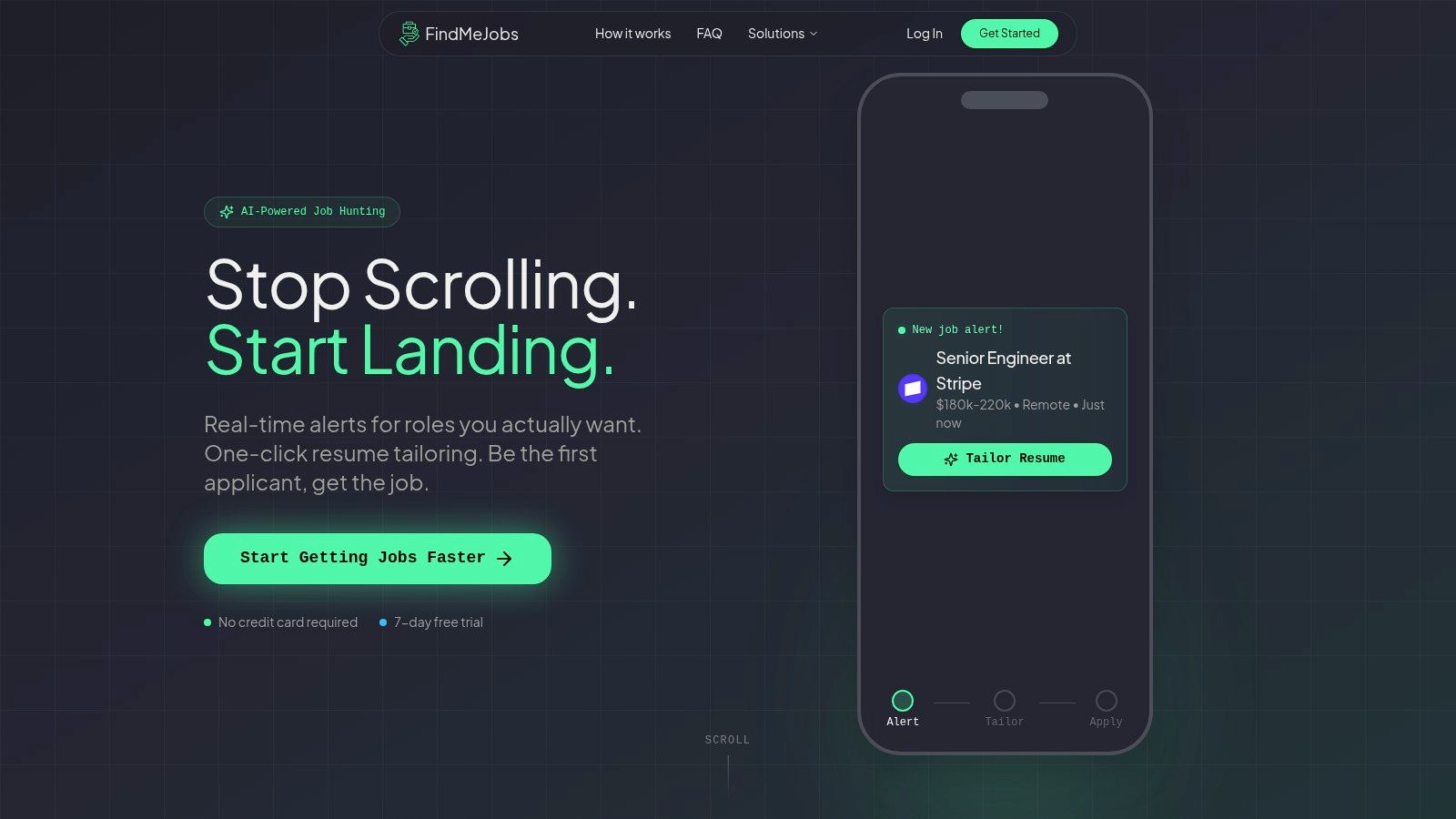
FindMeJobs is not a general-purpose resume builder. It ties job discovery to resume adaptation, which only matters if your bottleneck is speed to a relevant opening rather than prettier formatting. We monitor major job boards and public LinkedIn postings continuously and push alerts within minutes of a posting going live.
The core feature is CoApply. It reads a specific posting, proposes exact text edits you accept or reject one at a time, and exports an ATS-optimized PDF. There is a split-screen visual editor, automatic PDF and DOCX parsing so you can start from your existing file, and one-click customization, which means you are not moving between a scanner, a writer, and a file converter.
Practical rule: use the speed to get a cleaner first draft, then check every claim against your own experience before you apply. A fast resume you cannot defend in an interview is worse than a slow one you can.
Software engineers, data and analytics specialists, product and project managers, career switchers, and remote-first candidates targeting LinkedIn-supported regions. Smart Search Agents filter by title, location, salary, and boolean keywords with both positive and negative terms, which cuts the noise when you are watching several openings at once. Alerts arrive on the web or through Telegram, and there are Claude and ChatGPT integrations if you want the search and the editing in the same place. Pricing is a weekly subscription with a 7 day free trial and no card required.
If you want the search half without the resume half, the AI job search workflow and the live job listings show what the discovery loop looks like. If you want the resume half on its own, the free resume builder is free to use.
Jobscan is the strongest option when your problem is keyword alignment. It compares your resume against a specific job description, shows which terms are missing, and gives you a match score so you can judge whether a draft is close enough to send. That is evidence, not just a cleaner layout. The Jobscan resume builder is designed to reduce guesswork rather than do the rewrite for you.
That tradeoff is real. Jobscan hands you a clear diagnostic but still expects you to revise the bullets and summary yourself. For a handful of targeted applications, that control is worth it. Across a larger search, the manual editing slows you down, especially if you rescan after every change.
Bottom line: Jobscan works best for applicants willing to test, revise, and test again until the resume lines up with the posting.
Rezi is built for candidates who want the resume to change with the job. AI keyword targeting, real-time content checks, and ATS-friendly templates that produce a submittable document without fighting the layout. If you already know the role you want, the Rezi AI resume builder is a fast path to a job-specific draft.
Rezi pushes you toward specificity. When a bullet is vague, the tool flags it and helps you rewrite it so it reads like an achievement instead of filler. ATS optimization is not only about keywords. It is also about content that still sounds like a person wrote it. Rezi's text-based export path keeps the document safe while you move quickly.
The best features sit behind paid tiers, so this is not the tool to pick if you need one resume once. Check current pricing before subscribing. Rezi suits active applicants comfortable using AI to draft and then editing the final wording so the resume does not sound assembled.
Resume Worded is better than most tools at explaining what to fix. Score My Resume, Targeted Resume, and AI rewrite support let you work line by line instead of guessing which section is hurting you. The Resume Worded Pro page positions it as both a builder and an analyzer.
This is the tool you use when you want the resume to improve in visible steps. The job description comparison forces you to hold what you wrote against what the employer asked for. It also extends into LinkedIn review, which helps when recruiters click your profile right after screening the resume.
Templates are ATS-readable, which matters because you do not want a good score bought at the cost of parsing. Design control is limited next to visual-first builders, so it fits people who value substance over layout.
Deciding which terms deserve space on the page before you run a checker is most of the work. Our skills pages show which skills actually appear in live postings, and why your resume isn't getting responses covers the failure modes a score will not catch.
Teal is the best fit when you are managing a lot of applications at once. It pairs an ATS-aware builder with a job tracker, match score, and keyword scanning, so the resume does not sit in isolation from the rest of your search. The Teal resume builder works well if staying organized while tailoring multiple versions is the priority.
Most candidates do not fail because their resume is terrible. They fail because they lose track of which version went to which role. Teal keeps the application process in one place, which makes it easier to compare jobs, track edits, and keep variants aligned with each posting. If you are running enough volume for that to be a problem, how many jobs you should apply to per week is worth reading alongside it.
Useful check: if you cannot tell which version of your resume went to which job, your process is already generating avoidable errors.
The tradeoff is that several of the more useful features sit behind Teal+, and the design system stays conservative. Teal is more workflow tool than visual playground, which for repeat tailoring is a strength.
Standard Resume is the minimalist option here. Single-column structure, clear hierarchy, hiring-manager-approved templates. Exactly what you want if clean parsing and readable output are the whole goal. Standard Resume suits people who want a crisp document without spending time on decoration.
The benefit is control through restraint. You can produce multiple versions without introducing the layout elements that confuse a parser. Engineers and product managers often prefer this style because it keeps the document close to what a recruiter expects.
Editing stays simple, which matters when you want to swap a few bullets or build a role-specific version without rebuilding the whole thing. Less AI drama, less visual noise, fewer things to break.
The downside is obvious. If you want automated keyword analysis or elaborate design options, this is not your builder.
Novorésumé sits between utility and polish. ATS-friendly PDF output, a range of structured templates, and matching cover letters, which appeals if you want something more refined than a plain document without drifting into visual excess. The pricing page uses clearer premium periods instead of pushing everyone into a heavy subscription.
Novorésumé is a good choice when the resume needs to look polished for a human reviewer but stay readable by software. That balance matters in startup and growth-stage hiring, where a recruiter often sees the file shortly after the ATS processes it.
The caution is simple. Decorative elements are fine in a document a person will mainly read, and a liability in older ATS environments. Keep one polished version and one conservative version, then test the export before sending either.
Enhancv is the design-forward builder in this group that still takes parsing seriously. An ATS check, real-time content suggestions, and one-click tailoring to a job description. Check the Enhancv pricing page carefully, since presentation varies by region and currency.
Enhancv does not force a choice between a good-looking resume and a readable one. The editor gives feedback on content quality while keeping the export structured enough to parse. Useful if you want a modern layout without starting from scratch every time a role appears.
The risk is that decorative layouts still deserve caution when you know the employer runs an older system. Use a structured template, run the ATS check, then confirm the text still extracts in the right order.
Resume.io is built for speed. An AI builder, ATS scoring, a broad template set, and a fast editing workflow that gets you a clean document without much setup. Read the Resume.io pricing page closely, because trial structure and renewal terms matter more here than people expect.
The appeal is friction reduction. Blank page to finished PDF quickly, which is what you need when applying the same day a job appears. Templates are conservative enough to stay readable and the builder needs no learning curve.
The caution is billing. If you only need the tool briefly, watch the trial renewal terms so you do not keep paying for a subscription you meant to cancel.
Kickresume gives you a wide template catalog, AI resume and cover letter generation, an ATS resume checker, mobile apps, and a personal website generator. The Kickresume pricing page makes clear it is covering both resume building and broader presentation.
Kickresume is useful when you want variety and convenience. ATS-friendly templates are labeled clearly, which removes some of the guesswork that hurts visual builders.
The downside is that visually heavy templates still need judgment. A resume that looks great on screen can fail in an older parser if it leans on graphics, icons, or layout flourishes. Use the ATS-labeled options first, then test the export.
| Tool | Core features | Pricing model | Best for |
|---|---|---|---|
| FindMeJobs | Board and LinkedIn monitoring, Smart Search Agents, CoApply tailoring, visual editor, Telegram alerts | Weekly subscription, 7 day free trial, no card | Applying early to newly posted roles |
| Jobscan | ATS scanner, resume builder, match scoring, keyword gap finder | Freemium, paid for advanced scans | Diagnosing keyword gaps against one posting |
| Rezi | AI writers, Rezi Score, real-time content analysis, ATS-safe exports | Freemium, paid for best features | Fast job-specific drafts |
| Resume Worded | Resume scoring, targeted job description comparison, LinkedIn review | Free tier, Pro for full reports | Line-by-line coaching |
| Teal | AI builder, match score, ATS check, job tracker | Free tier, paid Teal+ | Managing many applications at once |
| Standard Resume | Minimalist templates, LinkedIn import, clean single-column PDFs | Transparent flat pricing | Maximum parsing safety |
| Novorésumé | Polished templates, ATS-friendly PDF, cover letters | Free plus premium periods | Design polish without visual excess |
| Enhancv | Large template catalog, ATS check, tailoring, AI feedback | Paid tiers, regional pricing | Visual polish with parser safety |
| Resume.io | AI builder, ATS scorer, many templates, cover letters | Low-cost trial, paid plans | Quick, professional PDFs |
| Kickresume | AI generation, ATS checker, 40+ templates, website and mobile apps | Freemium, premium tiers | Students and creatives wanting range |
Choosing an ATS resume builder is really choosing a workflow. If you need job-specific matching, pick a tool that reads the posting and tells you what to change. If you need editing depth, pick one that lets you control sections and wording without fighting the interface. If your worry is layout, lean toward single-column formats and text-first exports. If you manage many applications, version control matters as much as the resume. And billing terms matter, because several of these are easy to trial and expensive to keep.
The validation process should be boring and repeatable:
If a tool turns your document into something you would not say out loud in an interview, the score is not worth much.
You need an ATS-readable resume, which is not the same thing. A single-column document exported as a text-based PDF clears almost every parser. A builder is worth paying for when you want keyword matching against a specific job description, or when you are tailoring the same resume to many roles and want the versions managed for you.
No. That number traces back to a vendor marketing claim, not a published dataset, and it has been repeatedly debunked since. Applicant tracking systems mostly parse, index, and rank. Humans still do the rejecting. When a resume disappears it is usually because it parsed badly or matched the posting poorly, not because a filter deleted it on sight.
Export it, open the file, and copy-paste the whole thing into a plain text editor. If your name, summary, work history, education, and skills come out in a logical order with no scrambled columns or missing text, a parser will read it fine. If the order breaks, the layout is the problem, not your wording.
For formatting, yes. Free tools produce clean, parseable documents without much effort. The paid tiers are where keyword gap analysis, scoring against a specific job description, and multi-version management live. Start free, and only pay once you know which of those you actually need.
Most of these tools solve the same half of the problem: making a document a parser can read. The half nobody solves is timing. If you want the openings to reach you while they are still fresh and the tailoring to happen in the same place, start a 7 day free trial of FindMeJobs. No card required.
Ten resume builders for engineers compared on tailoring, ATS-safe export, version control, and price, plus a LaTeX option and a pre-submit checklist.
Seven resume scanners ranked on keyword gaps, edit guidance, and workflow fit, plus a repeatable test to find the one that actually improves your resume.
What an ATS resume review checks, what it flags, and how to fix parsing and keyword gaps so your resume gets past screening and in front of a recruiter.