A job application tracking app isn't automatically useful because it stores company names and submission dates. A static list can still leave you with the wrong resume version, missed follow-ups, duplicate applications, and no clear idea of which part of your search is slowing you down.
The better question is which application strategy you want the tool to support. Are you deliberately tailoring each resume for an ATS? Are you trying to capture roles quickly from several job boards? Do you want autofill and automated outreach, or would you rather keep every submission under manual control? And do you need a complete workspace with contacts and documents, or a lightweight mobile log that takes seconds to update?
This comparison weighs those choices instead of treating every feature as equally valuable. It looks at job capture, resume tailoring, ATS awareness, automation, integrations, follow-up workflows, pricing limitations, and day-to-day friction. It also separates the strongest fits for engineers, product managers, mobile-first users, high-volume applicants, and candidates who need job discovery as well as tracking.
Applicant tracking systems already shape the enterprise hiring process. A 2026 report identified detectable ATS use at 97.8% of Fortune 500 companies in 2025, or 489 of 500 firms (State of ATS 2026); Jobscan's own annual audit of Fortune 500 career pages has landed in the same 97 to 98% range for several years running. Your tracker should therefore help you manage the application, not merely remember that it happened.
Table of Contents
- Do You Need an App, or Will a Spreadsheet Do?
- 1. Teal Job Tracker
- 2. Huntr
- 3. Careerflow Job Tracker
- 4. Jobscan Job Tracker
- 5. Simplify Job Tracker
- 6. LoopCV
- 7. Rezi Job Search and Tracker
- 8. Sonara
- 9. LazyApply Tracker and Auto-Apply
- 10. JobTrack on iOS
- Top 10 Job Application Trackers: Feature Comparison
- How Do You Track a Job Application Status After You Apply?
- Choose the Workflow You Will Actually Maintain
- Frequently Asked Questions
Do You Need an App, or Will a Spreadsheet Do?
Most people arrive at this question after a spreadsheet has already stopped working, and it's worth being honest about when it works fine. A Google Sheet with eight columns costs nothing, never gates a feature behind a plan, and exports anywhere. If you're applying to five carefully chosen companies over two months, that's the right tool and an app is overhead.
A spreadsheet breaks in three specific places:
- Capture. Every row is manual copy-paste out of a job posting. At ten roles a week, that's the step you quietly stop doing, and the tracker is stale within a fortnight.
- Dead links. Postings get pulled. A spreadsheet stores a URL that 404s in three weeks. A tracker with a browser clipper usually saves the description text too, which is what you need when a recruiter calls about a role you no longer remember applying for.
- Resume versions. A cell can hold the words "backend v3". It cannot hold the document, compare it against the posting, or tell you which version got the interview.
If none of those three is your problem, stay on the spreadsheet. If capture is the problem, you want a browser clipper. If dead links are the problem, you want a tool that saves the full description. If resume versions are the problem, skip the pipeline tools and go straight to the ATS-oriented options below.
1. Teal Job Tracker
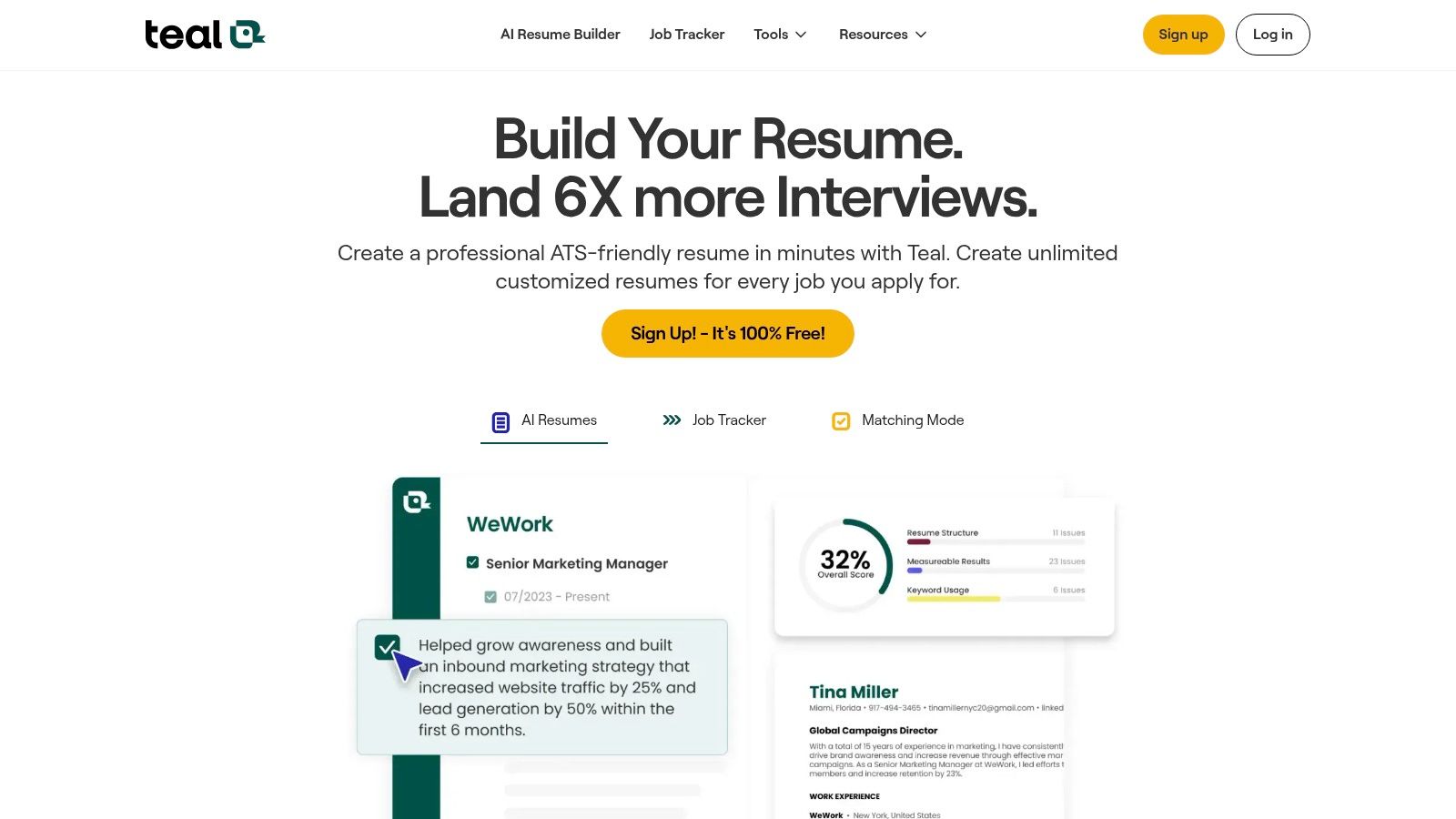
Teal is the strongest fit for candidates who want a structured workspace without building their own spreadsheet. Its central tracker supports table, spreadsheet-style, and Kanban views, so you can see a broad pipeline or focus on the next stage for each application. That flexibility matters when an engineer is managing technical roles across several companies while a product manager is tracking recruiter conversations, interview rounds, and competing opportunities.
The Chrome extension is Teal's main capture advantage. It lets you save roles from a wide range of job boards with a single action, reducing the friction between discovering a posting and recording it. Saved jobs can then connect with reminders, goals, contacts, and application stages inside the same workspace. The result feels closer to a job-search CRM than a simple status list.
Best for deliberate ATS-aware applications
Teal's resume workflow is more important than its board views. Its keyword matching compares a resume with a job description, helping you identify language that may need attention before you submit. That makes it a practical choice for applicants who tailor selectively rather than sending one generic resume everywhere.
The resume and cover-letter tools also keep document work near the saved job. Advanced AI functionality requires a paid tier, and users may encounter prompts to upgrade to Teal+. The free tier's unlimited tracking makes the product easier to test, but candidates should separate the value of the tracker from the value of premium writing assistance.
Practical rule: Use Teal when your bottleneck is organizing several intentional applications, not when your main goal is hands-off submission.
Engineers can use it to preserve distinct resume versions for backend, platform, or data roles. Product managers benefit from the contacts, goals, and follow-up context attached to each role. Choose Teal if you want mature pipeline management with ATS-oriented resume support and broad browser-based capture.
2. Huntr
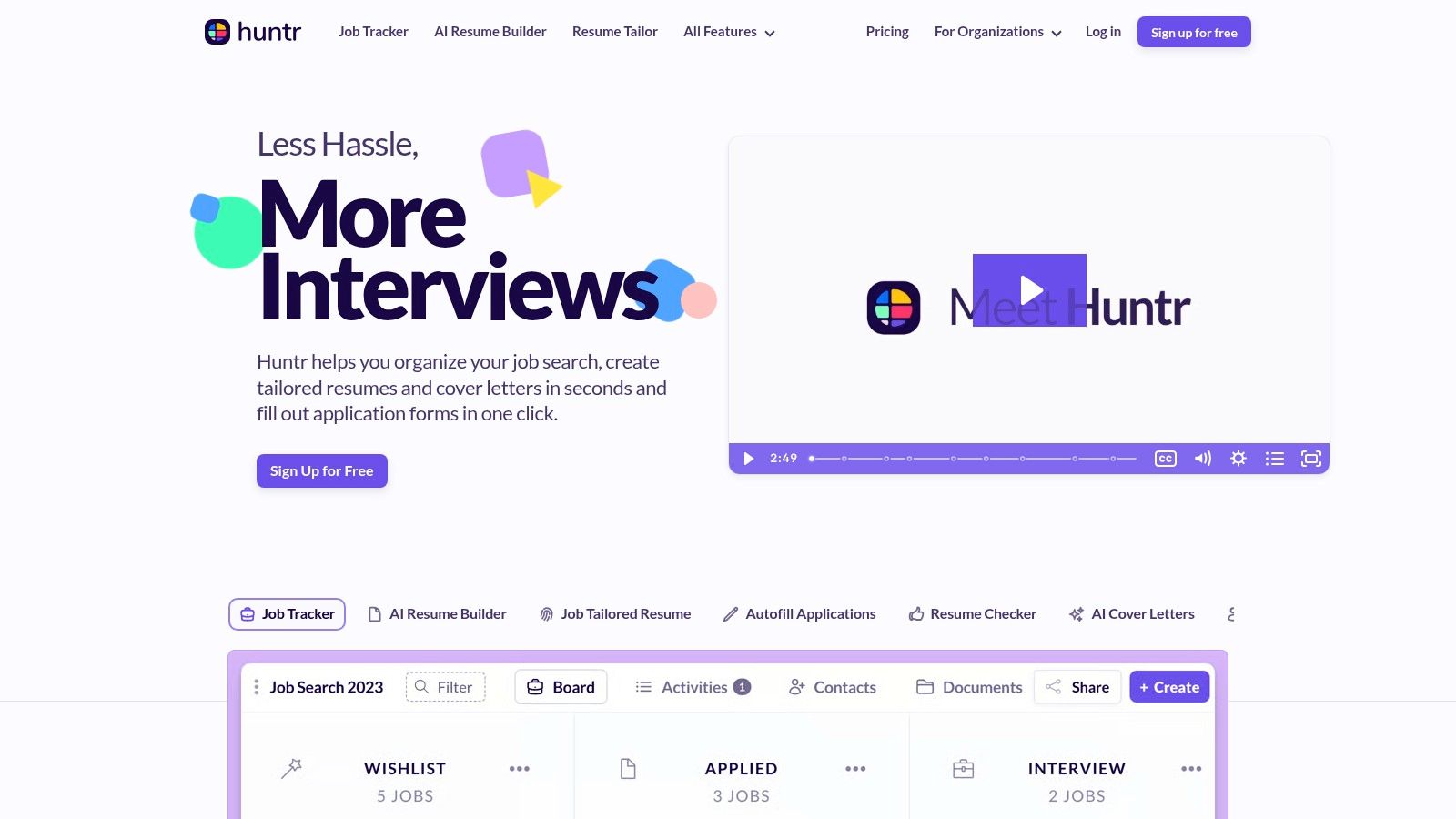
Huntr makes the application pipeline visual. Its drag-and-drop Kanban board turns saved, applied, interview, and offer stages into a set of cards you can move as the search develops. That's useful for candidates who think in queues and next actions rather than rows in a spreadsheet.
A Huntr card can hold more than a link. Notes, tasks, recruiter contacts, interview scheduling, and interaction history give each application a working record. Its map view adds a geographic layer, which can help candidates compare local, hybrid, and remote opportunities without maintaining separate notes. The Chrome clipper also keeps discovery connected to the tracker, so a promising role doesn't have to sit in an open browser tab until you remember it later.
A strong choice for pipeline memory
Huntr's distinguishing strength is the combination of visual tracking and relationship management. A recruiter's name, a referral conversation, a technical interview task, and a follow-up reminder can sit beside the job itself. That's more useful than a status label when several companies are moving at different speeds.
The tradeoff is capacity and subscription gating. The free tier limits the number of jobs you can track, while unlimited AI tailoring requires the Pro plan. Candidates running a concentrated search may find that acceptable. People pursuing many roles should check the current limits before moving an existing pipeline into the product.
Huntr also has a native iOS app, giving Apple users a way to update stages or notes away from a desktop. That makes it a better mobile companion than browser-only trackers, although its full value still comes from the broader workspace.
Best fit: high-volume applicants who need task and contact management, visual thinkers, and candidates who want native iOS support. Product managers may especially value the contact layer because their search often includes referrals, hiring-manager conversations, and multi-stage coordination. Explore Huntr when the risk you're managing is forgotten context, not just forgotten applications.
3. Careerflow Job Tracker
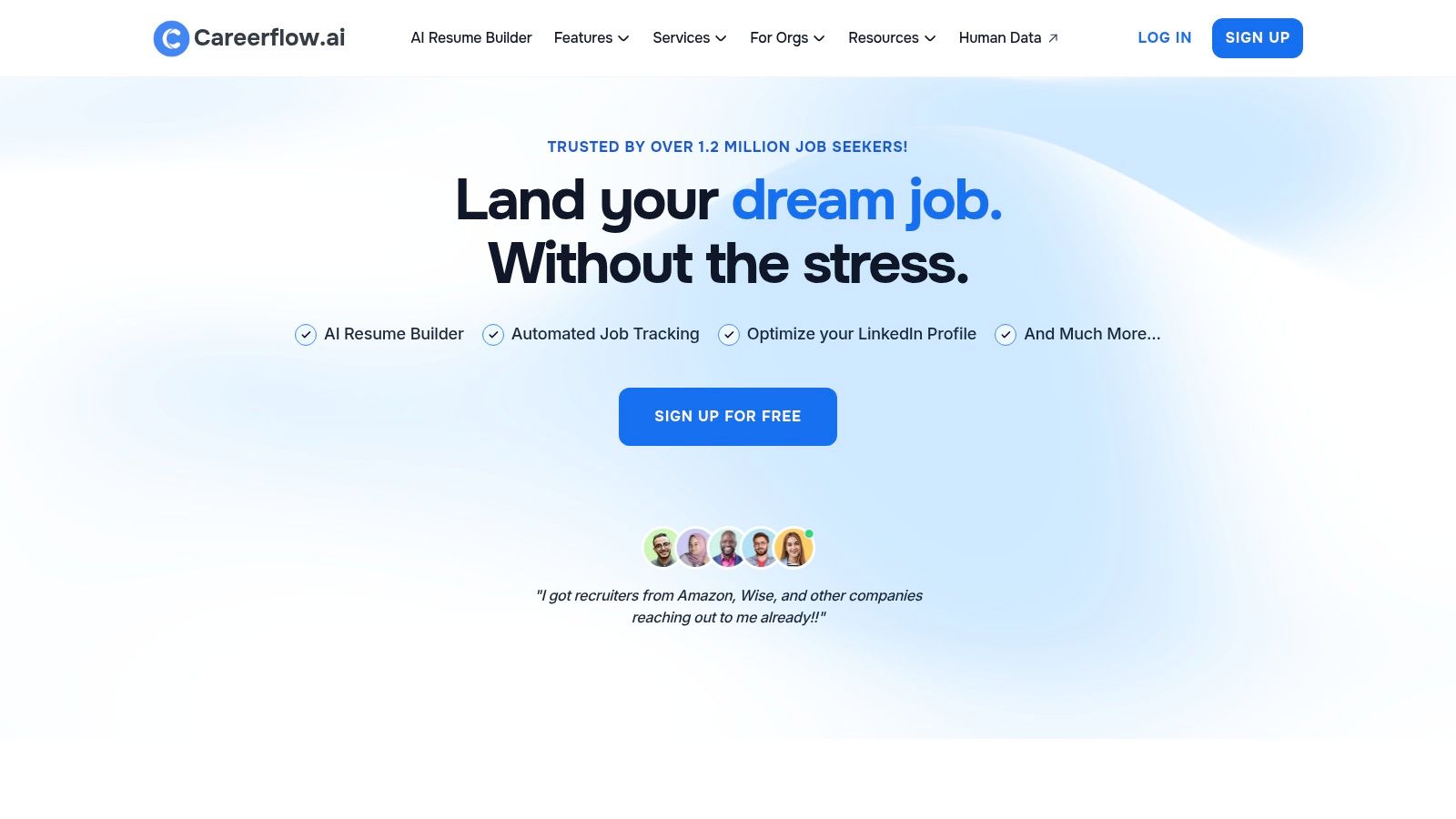
Careerflow is built for candidates whose search begins on LinkedIn and spreads across several hiring sites. Its browser extension can save roles from LinkedIn, Indeed, Glassdoor, and company career pages into a centralized Kanban board. That wide capture path is the product's clearest advantage because it reduces the manual work of copying job titles, company names, and links into a separate tracker.
The board supports stages, tasks, notes, reminders, and basic analytics. Careerflow also includes autofill features, which can shorten repetitive form entry after you've decided a role deserves an application. Its LinkedIn Optimizer adds a second workflow for candidates who treat their profile as part of the application package rather than a static online resume.
Discovery and tracking in one browser workflow
Careerflow's free plan includes the tracker and extension, making it relatively approachable for candidates who want to test the workflow before paying for advanced AI features. That matters for early-career applicants and career switchers, who may need broad discovery but don't want to commit to a full subscription immediately.
The limitation is polish. User feedback has described the interface as less refined than some competing workspaces, so candidates who care about highly polished navigation may prefer Teal or Huntr. Advanced AI functions also sit behind Premium, which means the free experience is strongest for capture and organization rather than deep document tailoring.
Careerflow makes sense when job discovery is part of the tracking problem. It's less compelling if you already have a carefully curated list of roles and only need ATS-specific resume editing. For a broader search, pair it with our AI job-search tools when you want automated discovery and resume tailoring alongside your application record.
Best fit: LinkedIn-heavy candidates, career switchers, and users who want a generous entry-level tracker with broad browser capture. Visit Careerflow to assess whether its capture breadth outweighs its less polished interface for your search.
4. Jobscan Job Tracker
Jobscan approaches tracking from the resume outward. Its dashboard stores roles and statuses, but the central workflow is the connection between a saved job description, a resume scan, and the edits needed to improve alignment. That makes it different from a tracker-first product such as Huntr.
For candidates worried that a machine-readable resume isn't matching the posting, Jobscan provides a more focused environment. You can keep scan history associated with application work and use job-description matching to guide tailoring. The tracker therefore answers a more useful question than "Did I apply?" It helps preserve which resume was evaluated against which role and why you changed it.
Best for ATS-controlled document work
Applicant tracking software has become a technical constraint for applicants. One independent market source valued the global ATS market at USD 2.84 billion in 2023 and projected it to reach USD 5.69 billion by 2030, with a 10.4% CAGR (Gitnux ATS statistics). Whatever the exact market boundary, the practical implication is clear: resume structure and keyword alignment deserve a dedicated workflow.
Jobscan is especially relevant for engineers and product managers applying to roles with dense requirements. An engineer can compare platform, cloud, language, and architecture terminology against a posting. A product manager can check whether the resume reflects the role's stated product, analytics, experimentation, or cross-functional language without replacing genuine experience with keyword stuffing.
The drawbacks are equally clear. Premium pricing is higher than some peers, and the free tier is limited. Jobscan is also less suitable as a relationship-management workspace because its strongest value sits in resume and job-description analysis.
Use Jobscan when your primary bottleneck is getting a machine-readable application package ready. If you're still deciding which scanner or builder to standardize on, we compared the field in ATS resume builder tools to test in 2026. If you also need to create or revise the underlying document, connect the workflow with our resume builder.
5. Simplify Job Tracker
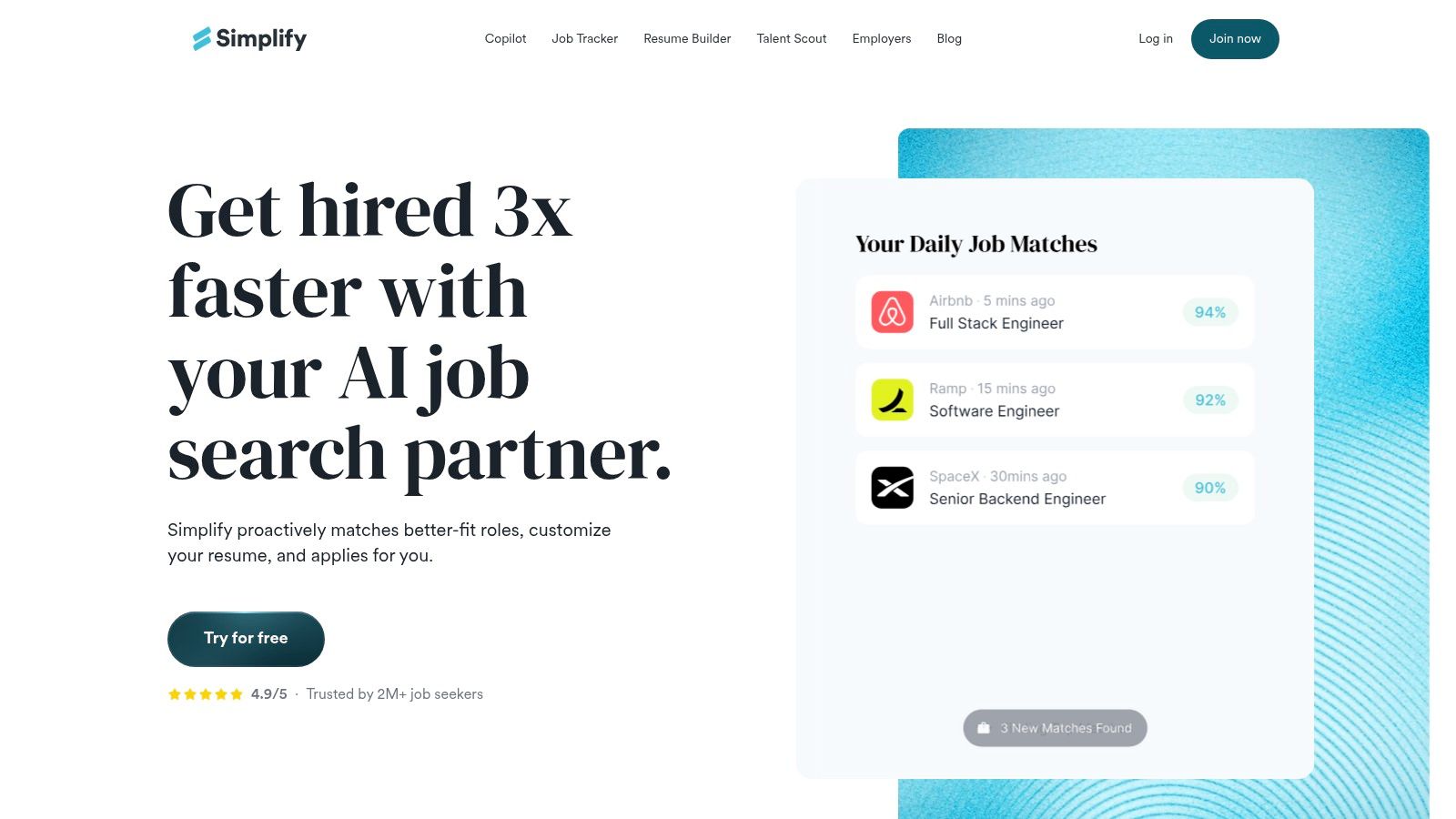
Simplify is less interested in helping you admire a tidy pipeline and more interested in helping you finish repetitive applications. Its Copilot extension can autofill forms on supported ATS pages, save roles into the tracker, and keep the application stage attached to the job card. That makes it a strong option for candidates who lose time re-entering education, work history, links, and standard application responses.
The tracker supports stages such as saved, applied, interview, and offer. Its more distinctive feature is what happens around the card. Simplify can generate follow-up, recruiter, and referral emails, bringing outreach into the same workflow as the application itself.
Best when form filling is the bottleneck
Simplify suits a high-activity search where the candidate has already decided that many roles are relevant. It can reduce repetitive data entry and make it easier to move from discovery to submission. That's particularly useful for early-career candidates and applicants whose target roles use similar application forms.
Automation still needs supervision. Autofill can reproduce stale information, misunderstand a field, or apply the wrong answer to a screening question. A fast submission is not automatically a relevant submission, especially for senior engineering or product roles that include nuanced questions about scope, leadership, or domain expertise.
The best features sit behind Simplify+, so subscription access is part of the decision. Candidates should confirm which autofill, AI, and outreach capabilities are available on the current plan before changing their process.
Simplify is a workflow accelerator, not a substitute for deciding whether the role deserves a tailored application.
Best fit: repetitive form-fill workflows, broad searches across supported ATS pages, and candidates who want outreach next to application records. It's a weaker fit for someone who needs deep resume analysis or a relationship-heavy CRM. See Simplify if submission friction, rather than job discovery, consumes most of your time.
6. LoopCV
LoopCV treats the job search as an automation and experimentation system. Its dashboard can track applications, while optional AI auto-apply and autofill functions submit applications to matching roles across supported sites. That places it at the volume end of this comparison, far from the deliberate, role-by-role approach of Jobscan.
The platform also includes CV checking, resume-building functions, and A/B testing. In principle, that lets candidates compare how different resume versions perform across a search. Analytics can then bring application activity and outreach into the same view, giving volume-focused users more feedback than a basic tracker would provide.
Automation changes the quality-control burden
Auto-apply can increase throughput, but it also transfers more responsibility to the candidate. You need to define acceptable roles, confirm profile data, review which sites are supported, and decide whether a submission received enough tailoring. LoopCV's automation isn't supported on every site, so it can't create one consistent process across the entire market.
The product is therefore best for experimentation, not for every application. A candidate testing two resume approaches across related roles may value its analytics. A senior engineer applying to a small set of highly specific positions may gain more from careful tailoring and networking than from automatic volume.
The evidence around the broader search environment supports that distinction. A 2025 survey reported a median time to first offer of 68.5 days in Q2 2025, with the figure up 22% from earlier in the period, while the busiest candidates sent about 19 applications per week (Huntr job-search trends for Q2 2025). That's a demanding pace to sustain, and it's worth reading alongside how many jobs you should actually apply to per week before you optimize for throughput. LoopCV fits candidates prepared to manage that sustained activity, but volume should remain a means rather than the objective.
Choose LoopCV if volume, automation, and resume experimentation are your priorities. Don't choose it merely because manual tracking feels inconvenient.
7. Rezi Job Search and Tracker
Rezi connects job discovery, resume creation, and application tracking in a single loop. You can save a role, inspect its job-description language, tailor a resume, and update the role's status without moving between unrelated tools. That tight connection makes Rezi more attractive to candidates who view each saved job as a document-customization task.
Its AI resume writer and editor support the tailoring workflow, while keyword targeting helps direct attention toward terms in the posting. The Chrome extension can save jobs and assist with autofill. A visual map of openings adds a discovery layer, which gives Rezi more breadth than a tracker that only begins after a candidate has found a role.
Useful for document-first searchers
Rezi's strongest audience is the applicant who wants to improve resume relevance before increasing application volume. Engineers can maintain a base resume while adjusting language for infrastructure, software, data, or security roles. Product managers can adapt emphasis around discovery, delivery, metrics, stakeholder alignment, or product strategy without losing control of the underlying experience.
The tracker is newer and still evolving, and features may roll out incrementally. That matters because candidates who want a mature CRM or advanced pipeline reporting may find the tracking layer less developed than the resume tools. The availability of a lifetime pricing option can appeal to heavy users, but current terms should be verified before purchase.
Rezi is a particularly logical choice when the same person needs job discovery plus ATS-aware document editing. It's less compelling for someone who already has a trusted resume process and only wants reminders.
Review Rezi if you want the saved job, resume, and application status to remain connected. Treat its tracker as an evolving part of the product rather than its only reason to subscribe.
8. Sonara
Sonara is a managed, automation-led job-search service rather than a conventional personal tracker. It continuously discovers roles, can fill applications on a candidate's behalf, and centralizes status information in a dashboard. The product suits people who want an external system to keep a pipeline moving instead of manually saving every position.
Its "Apply with Sonara" workflow can operate across listings where the integration is supported. That broadens the discovery-to-submission path, but it also introduces an important dependency. The candidate's experience varies according to the job board, listing format, eligibility rules, and the information Sonara has available to complete the application.
Choose managed volume only with clear boundaries
Sonara can appeal to job seekers who are exhausted by repetitive discovery and submission. It may be useful for candidates who need a continuously refreshed pipeline and are comfortable delegating more control. It's less suitable for applications that require carefully written responses, role-specific portfolio context, or extensive networking before submission.
Pricing details are primarily presented through purchase or checkout pages, so candidates should verify the current offer, cancellation terms, supported listings, and included automation before paying. Those details matter more for a managed service than for a simple manual tracker.
This is also not the obvious choice for a senior engineer or product manager pursuing a short list of carefully selected companies. Those searches often depend on narrative, referrals, and precise positioning. Sonara is better aligned with candidates who prioritize hands-off discovery and submission and accept that automation won't fit every role.
Visit Sonara when managed application activity is the core requirement. Keep a separate record of important conversations and specialized materials if the service doesn't preserve the context you need.
9. LazyApply Tracker and Auto-Apply
LazyApply combines a browser extension, automated applications, and a web dashboard that logs activity. It's designed for candidates who want to maximize submission throughput and retain a basic record of where applications went. The tracker includes proof logs and simple analytics, which can help users reconstruct activity after an automated campaign.
The product also manages a resume profile that feeds supported application workflows. That setup can reduce repetitive entry, but it makes profile accuracy critical. A mistake in the central profile can spread across applications, so candidates should review the stored information before enabling automation.
High throughput comes with tradeoffs
LazyApply's subscription tiers set daily application caps, and the current listing uses annual billing without a free trial. Those conditions make it important to verify the present plan structure before committing. Users have also reported mixed results and expressed caution about heavy automation, so the product shouldn't be judged solely by how many forms it can attempt to complete.
The strategic question is whether more submissions improve your search or create more unreviewed applications. A high-volume approach may help candidates with broad eligibility and standardized roles. It can be a poor fit for engineers and product managers whose strongest applications depend on technical specificity, leadership scope, product context, or thoughtful responses.
LazyApply is most defensible when the candidate has already set strict filters and accepts manual quality checks around the automated process. If you need alerts before deciding which jobs deserve attention, combine a tracking workflow with a dedicated job-alert app rather than relying only on automatic submissions.
Choose LazyApply for a volume-first search where supported-board coverage and subscription limits make sense. Don't use it as a replacement for networking or applications to priority employers.
10. JobTrack on iOS
JobTrack, listed as "Job Apps Tracker," strips the category back to its essential function. It lets Apple users manually add applications, assign color-coded statuses, review charts and statistics, export data as CSV, and sync through iCloud. There's no need to configure a full CRM, resume suite, or automated submission system.
That simplicity is the product's appeal. A candidate can record a role immediately after applying, move it from applied to interview or rejected, and keep a private history without maintaining a browser dashboard. Offline use also helps people who want a tracker that remains available when they're away from a desktop connection.
Best for a lightweight mobile log
JobTrack requires manual capture, unless you use a share-sheet workflow. It doesn't provide integrated AI resume tailoring or autofill, and it's iOS-only with no Android or web counterpart noted. Those limits make it a poor choice for candidates who save dozens of roles from multiple boards or need a resume version attached to every application.
It works well for a focused search where the user values speed and low setup more than automation. An engineer who already keeps a resume system elsewhere can use JobTrack purely for status and follow-up memory. A product manager who prefers a separate CRM or notes system may appreciate the clean boundary.
The charts can reveal activity patterns, but they won't explain why a resume is failing ATS screening or whether a role matches your criteria. Use the app for logging, not for discovery, tailoring, or submission strategy.
Explore JobTrack if you want a private, mobile-first record on Apple devices. If your search spans Android, desktop, or automated discovery, choose a broader workspace instead.
Top 10 Job Application Trackers: Feature Comparison
| Product | ✨ Core features | ★ UX / Quality | 💰 Pricing / Value | 👥 Target audience | 🏆 Unique selling point |
|---|---|---|---|---|---|
| Teal Job Tracker (TealHQ) | Clipper, spreadsheet/Kanban, AI resume & cover letters ✨ | ★★★★☆ polished UX, unlimited free tracking | 💰 Strong free tier, then Teal+ paid features | 👥 Organized, multi-pipeline job seekers | 🏆 Best browser capture & CRM-like tracking |
| Huntr | Clipper, Kanban, notes, iOS app, AI tailoring ✨ | ★★★★☆ polished workspace + mobile | 💰 Freemium (job limits), Pro for unlimited AI | 👥 High-volume job hunters & career centers | 🏆 Strong mobile + organized workflows |
| Careerflow Job Tracker | One-click saves (45+), Kanban, LinkedIn optimizer ✨ | ★★★☆☆ functional, simpler UI | 💰 Generous free plan; Premium for AI | 👥 Cost-conscious users needing broad capture | 🏆 Best free capture breadth |
| Jobscan Job Tracker | Tracker + resume scans, JD matching, ATS optimization ✨ | ★★★★☆ ATS-focused, education-friendly | 💰 Premium-priced; limited free tier | 👥 ATS-aware applicants & career services | 🏆 Leader in JD/resume ATS matching |
| Simplify Job Tracker | Autofill ATS, one-click save, AI follow-ups & outreach ✨ | ★★★★☆ streamlines forms & outreach | 💰 Subscription-based; best features paid | 👥 Seekers who want autofill + outreach | 🏆 Integrated autofill + recruiter outreach |
| LoopCV | Auto-apply, autofill, CV A/B testing, analytics ✨ | ★★★☆☆ automation-first, experimental | 💰 Paid tiers; high ROI for volume users | 👥 Candidates prioritizing volume/experiments | 🏆 Maximizes application throughput |
| Rezi Job Search and Tracker | JD targeting, AI writer/editor, tracker, autofill ✨ | ★★★☆☆ strong tailoring; evolving tracker | 💰 Flexible plans; lifetime option available | 👥 Users wanting tight tailoring+tracking | 🏆 Tight loop between resume tailoring & tracking |
| Sonara | Continuous discovery, auto-apply, managed submissions ✨ | ★★★☆☆ hands-off automation; managed UX | 💰 Paid/managed service; pricing at checkout | 👥 Candidates preferring managed, low-touch search | 🏆 Managed, hands-off application pipeline |
| LazyApply (Tracker + Auto-Apply) | Auto-apply, daily caps, tracker & proof logs ✨ | ★★☆☆☆ high throughput, mixed reliability | 💰 Annual billing only; tiered daily caps | 👥 High-volume seekers aiming for scale | 🏆 Simple high-throughput auto-apply |
| JobTrack (iOS) | Mobile-first manual tracker, iCloud sync, CSV export ✨ | ★★★★☆ clean, fast, works offline | 💰 Low-cost iOS app (App Store purchase) | 👥 iOS users wanting simple/private tracker | 🏆 Fast, private mobile tracking |
How Do You Track a Job Application Status After You Apply?
Every tool on this list tracks your record of the application, not the employer's. That distinction causes the most common disappointment with a tracker: discovering it can't tell you what a company is actually doing with your resume. A handful of large employers expose a candidate portal where a stage moves from under review to no longer under consideration, and Workday or Greenhouse portals sometimes surface that. Most don't, and silence is the default outcome rather than a signal about your application.
So track the things you control:
| Field | Why it earns a column |
|---|---|
| Job URL and saved description | Postings disappear. Keep the text, not just the link. |
| Date applied | Without it you can't tell a slow process from a rejection. |
| Resume version | The only way to learn which positioning gets interviews. |
| Recruiter or referral contact | The person, not the portal, is what moves an application. |
| Next action and date | A status with no next action is just an archive entry. |
| Source | Shows you which channel is actually producing interviews. |
Then set one follow-up rule and keep it. If nothing has happened seven to ten business days after applying, send one short note to a named person and log the date. If nothing has happened after two follow-ups, move the card to closed and stop counting it as pipeline. An honest pipeline is usually much smaller than a tracker suggests, and that smaller number is the one worth acting on.
Choose the Workflow You Will Actually Maintain
The best job application tracking app is the one that matches the part of your search you can't manage reliably on your own. There isn't a universal winner, because a careful engineer applying to a small group of infrastructure roles has a different problem from an early-career candidate submitting applications across many boards.
Choose a workspace-focused tool when your search has several active pipelines. Teal is a strong option for structured tracking, browser capture, goals, reminders, contacts, and resume matching. Huntr is better if you think visually and want tasks, recruiter details, interview scheduling, and notes attached to each card. Careerflow fits candidates who discover roles across LinkedIn and other job sites and want a broad capture workflow with LinkedIn optimization.
Choose an ATS-oriented tool when the resume is the bottleneck. Jobscan puts job-description matching and scan history close to the application record. Rezi connects tailoring, discovery, browser capture, and tracking in a tighter loop, although its tracker is still evolving. These tools are more relevant to engineers and product managers who need different versions of their positioning for different role families.
Choose autofill and outreach tools when repetitive work consumes your time. Simplify is designed around supported ATS form filling and adds follow-up, recruiter, and referral email generation. It can speed up a process you've already judged to be worthwhile. It shouldn't decide whether a role deserves a custom answer.
Use automation-first services only when volume is the priority. LoopCV, Sonara, and LazyApply can reduce manual effort, but coverage, quality control, subscription terms, and job-board compatibility vary. Automatic submission can create activity without creating a better application, particularly when a role depends on specific examples, portfolio evidence, or relationship-building.
Job-search behavior is already heavily digital. A 2026 survey found that 85% of respondents spend most of their search time on online applications, and 471 of 555 respondents reported that online applications dominate their search (Huntr job-search trends for Q1 2026). That makes fast capture, dependable alerts, filtering, resume tailoring, and status tracking more relevant than a tracker that only archives past activity.
Set up your system in a deliberate order:
- Define stages: Use labels such as saved, reviewing, applied, screening, interview, offer, rejected, and withdrawn only if you'll update them consistently.
- Standardize fields: Record the job URL, company, role, location, date saved, date applied, contact, resume version, next action, and follow-up date.
- Test capture: Save several roles from the sites you use, then confirm that titles, descriptions, links, and statuses transfer correctly.
- Review follow-ups: Schedule a regular review so reminders lead to decisions rather than becoming another neglected queue.
- Verify subscriptions: Confirm current pricing, billing terms, AI limits, automation coverage, export options, and mobile support before subscribing.
A tracker also shouldn't be expected to solve discovery. The recruitment software market is moving beyond storage and workflow management toward analytics and predictive functionality. One 2026 market report places applicant tracking at 53.87% of recruitment software functionality, while talent analytics is growing at a 9.82% CAGR and the broader recruitment software market is projected to reach USD 5.5 billion by 2031 (Mordor Intelligence recruitment software market). For candidates, that raises a useful standard: your system should help you decide which opportunities deserve action, not count submissions.
We built FindMeJobs for the half of the problem a tracker leaves open, which is finding the roles worth tracking. Smart Search Agents filter by title, location, salary, company, and keyword, with positive, negative, and Boolean logic, so a new opening reaches you as a web or Telegram alert instead of sitting in a feed you have to remember to check. CoApply AI then suggests job-specific resume edits and exports an ATS-ready PDF. Start with job alerts if your tracker organizes applications well but you keep finding roles too late.
A practical workflow may combine tools rather than force one product to do everything. Use a discovery and tailoring platform to identify relevant roles quickly, a workspace to manage contacts and stages, and automation only for applications where speed doesn't compromise relevance. The strongest system is the one you'll maintain after the initial setup, update after every meaningful interaction, and use to improve your next application rather than merely document the last one.
Frequently Asked Questions
Which job application tracker is the best?
There is no single winner, because the tools solve different bottlenecks. Teal and Huntr are the strongest general workspaces. Jobscan and Rezi are better if the resume is what is holding you back. Simplify wins if repetitive form filling eats your time. JobTrack is the right answer if you only want a fast private log on your iPhone. Pick by the part of your search you cannot manage reliably on your own.
Is there a free job application tracker?
Yes. Teal offers unlimited free tracking, and Careerflow includes its tracker and browser extension on the free plan. Huntr is free up to a job limit. The paid tiers across all of them are mostly about AI resume tailoring, autofill, and automation rather than the tracking itself, so you can run a complete pipeline without paying anything.
How can I track my job application status?
In most cases you cannot see the employer's side. A few large companies expose a candidate portal where a stage changes, but silence is the normal outcome and it is not a signal. Track what you control instead: the saved job description, the date you applied, which resume version you sent, a named contact, and the next follow-up date. Then set a rule, such as one short follow-up seven to ten business days after applying.
Can I just use a spreadsheet or a Notion template?
For a focused search, yes. A spreadsheet costs nothing and exports anywhere. It breaks in three specific places: manual capture that you quietly stop doing, job links that go dead in a few weeks, and resume versions it cannot actually store or compare. If none of those is your problem, stay on the spreadsheet.
A tracker records what you already did. FindMeJobs tells you what to do next: Smart Search Agents surface matching roles, alerts reach you on the web or Telegram, and CoApply AI tailors your resume to each job description with an ATS-ready download. Start a free trial, 7 days and no card needed.