A strong role appears while you're already juggling three other applications. You need to discover it before the listing gets crowded, decide whether the requirements fit, tailor your resume, complete an unfamiliar application form, and remember when to follow up. Without a system, even a qualified candidate can lose time to repetitive work and inconsistent tracking.
The best job search automation tools don't all automate the same part of that process. Some specialize in alerts and discovery, others improve resume alignment, autofill forms, manage application records, or submit applications automatically. This comparison separates those capabilities so you can choose based on speed, control, application volume, ATS preparation, and tracking needs, rather than treating every AI job-search product as interchangeable. Each review covers the practical workflow stage, human review required, limitations, and publicly available pricing information.
Table of Contents
- 1. FindMeJobs
- 2. Teal
- 3. Simplify
- 4. LoopCV
- 5. Sonara
- 6. Jobscan
- 7. Careerflow.ai
- 8. Huntr
- 9. Rezi
- 10. Jobright
- Top 10 Job Search Automation Tools Comparison
- Frequently Asked Questions
- Build a Workflow That Matches Your Search
1. FindMeJobs
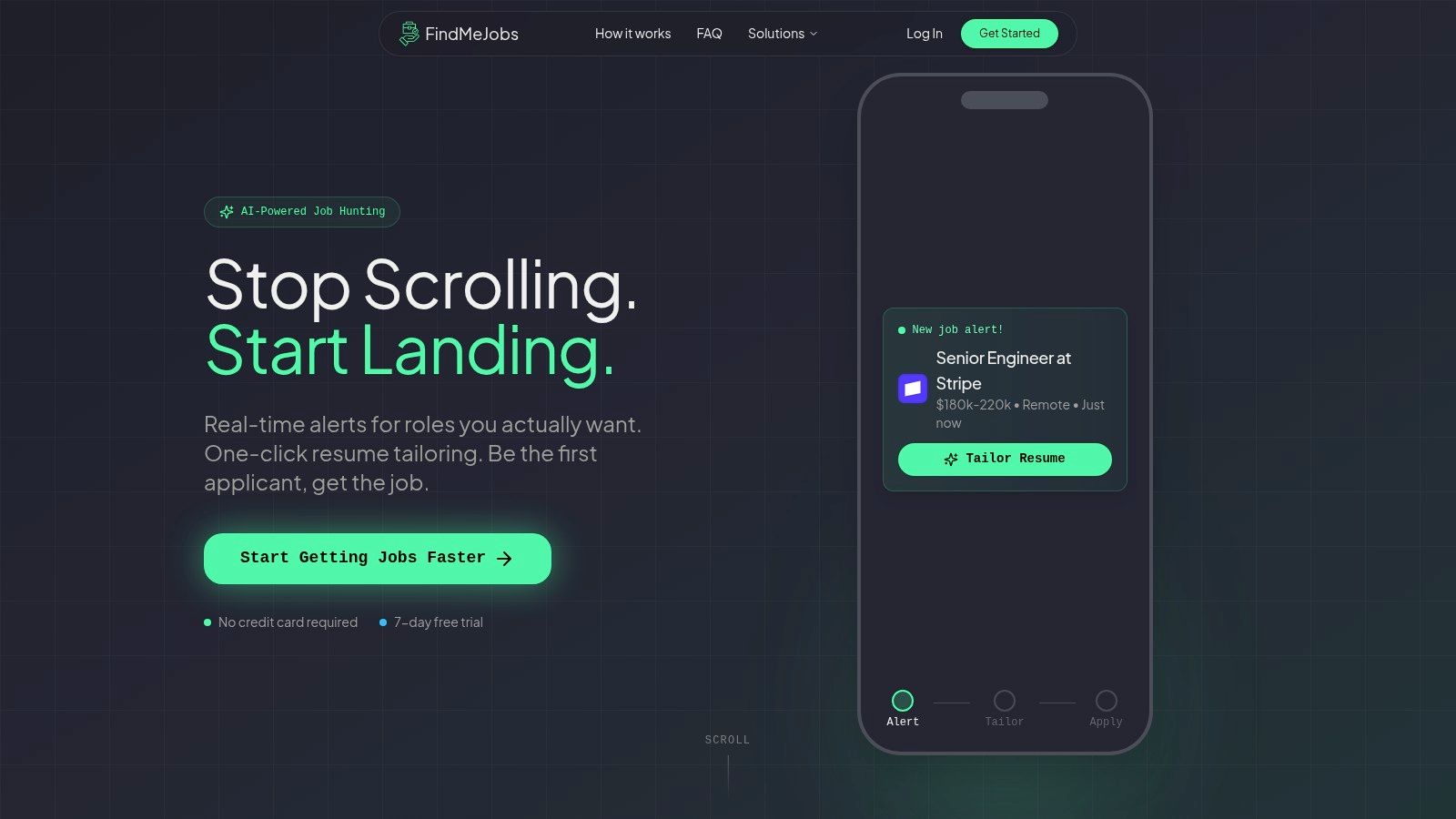
FindMeJobs is ours, and it is built for candidates who care about finding relevant roles quickly and tailoring a credible application before submitting it. Matching roles reach you in the web app and on Telegram, usually 0 to 10 minutes after the job goes live, and often within a couple of minutes.
That timing matters because a candidate often loses more from discovering a suitable role late than from spending another few minutes polishing a document. FindMeJobs is especially relevant for software engineers, data professionals, product and project managers, early-career candidates, and remote-first applicants who need targeted alerts rather than another daily list of loosely related jobs.
Discovery and tailoring in one workflow
Smart Search Agents let you define titles, locations, salary bands, and positive, negative, or Boolean keywords. That makes the tool more useful than a broad alert feed, because you can exclude technologies, industries, locations, or seniority levels that create noise.
For each match, CoApply AI analyzes the job posting and proposes selectable text edits for your resume. You can import a PDF or DOCX, review changes in a split-screen live PDF editor, and download an ATS-ready PDF. Integrations with Claude and ChatGPT provide additional AI assistance, but the suggested edits still need your approval.
Control level: FindMeJobs accelerates discovery and resume preparation, but it doesn't submit applications for you. You remain responsible for reviewing the edits and completing the employer's application.
Coverage is global, remote roles included. Access is a weekly subscription and starts with a 7 day free trial that does not ask for a card. Current prices are on the pricing page.
Best for: Speed-first candidates who want narrow alerts and job-specific resume edits without surrendering application control.
Website: FindMeJobs
2. Teal
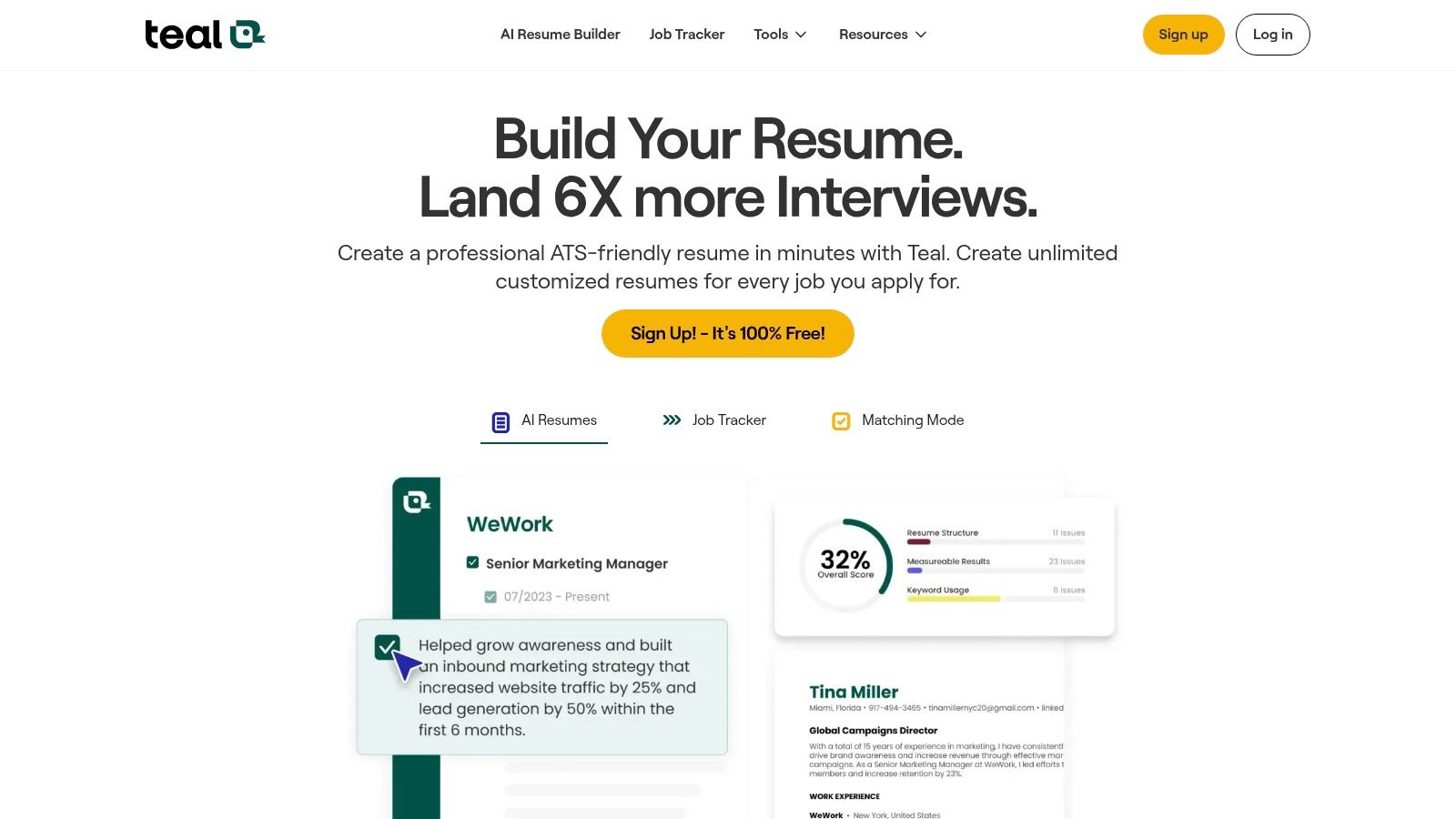
Teal treats the job search as a pipeline that needs consistent organization. Its strongest use case is a candidate who saves many opportunities, moves them through stages, records notes, and wants each application connected to the relevant resume version.
The platform combines a job tracker with a Chrome extension for clipping listings from major boards. Its AI resume builder can compare your resume with a job description and help align wording with the role. That combination makes Teal more useful for structured, high-volume searches than for instant discovery or hands-off submission.
If tracking is the part of your search that keeps breaking, we ranked ten trackers in our job application tracker comparison, and Teal sits near the top of that list too.
The free basic plan gives users a way to begin organizing applications, while advanced AI capabilities require an upgrade. Pricing and plan limits can change, so check the current Teal platform before choosing it as your primary workspace.
Teal doesn't provide true auto-apply. You'll still submit each application yourself, which is a limitation for candidates whose main bottleneck is repetitive forms. It's also a strength for people who want to review every role, preserve context, and avoid sending a generic resume because the tool made submission easy.
Best for: Candidates who need a polished tracker and role-specific resume alignment.
Workflow coverage: Discovery through clipping, resume tailoring, tracking, and manual submission.
Control level: High. Human review remains central.
3. Simplify
Simplify focuses on the point where many applications become exhausting: repetitive form entry. Its Copilot browser extension can autofill information across many job sites, while the broader platform supports job matching, resume tailoring, application-writing assistance, and tracking.
That makes Simplify a practical choice for candidates who have already decided which roles to pursue and want to reduce copying, pasting, and re-entering the same background details. The follow-up email generator also addresses a frequently neglected part of the workflow, especially when candidates lose track of whom they contacted or when they planned to check back.
The extension's broad site compatibility is useful, but autofill quality can vary by employer ATS and by the way an application form labels its fields. A candidate should therefore treat autofill as an assistant, not as proof that every answer populated correctly.
Some advanced features require a paid plan. Current plan details should be verified directly on Simplify, particularly if you need more than basic matching, autofill, or tracking.
Best for: Applicants whose largest time loss comes from forms and follow-up drafting.
Workflow coverage: Matching, resume assistance, autofill, tracking, and follow-up support.
Control level: Moderate to high. You still need to inspect populated fields and submit the application.
4. LoopCV
LoopCV is designed around end-to-end automation. It continuously searches for roles using filters such as title, location, salary, and seniority, then can autofill or auto-apply on supported sites when that option is enabled. The platform also includes a dashboard for applications and outreach, which gives users a place to review what the automation has done.
Its most distinctive capability is the combination of automated applications with resume experimentation. An AI CV builder and checker support different resume variants, while A/B testing helps candidates compare how those versions perform within their chosen workflow. That's a more analytical approach than generating one resume and using it everywhere.
The trade-off is control. Auto-apply only works where the relevant site and extension support it, and weak filters can create a stream of low-fit applications. The email finder and outreach features may extend the workflow beyond application submission, but they also increase the number of settings you'll need to manage.
Visit LoopCV to confirm supported sites, current automation behavior, and plan conditions before enabling automatic submissions.
Best for: Candidates who prioritize throughput and want analytics around resume variants.
Workflow coverage: Discovery, autofill, supported-site auto-apply, resume testing, tracking, and outreach.
Control level: Lower when auto-apply is enabled. Narrow filters and periodic review are essential.
5. Sonara
Sonara uses a “we apply for you” model. Its AI continually searches for matching roles and can submit applications on a candidate's behalf based on the profile and preferences provided. That approach is attractive when the candidate's biggest constraint is time and the priority is maximizing the number of submissions with minimal manual effort.
The platform also includes status tracking and communication support, so it isn't limited to finding vacancies. In principle, that creates a more complete automation loop than a tool that only sends alerts or creates resumes.
The central limitation is granularity. When software submits on your behalf, you have less control over individual application details, role-by-role positioning, and answers to questions that require context. Match quality can also vary, so tight preferences matter more than they would in a manually reviewed search.
Candidates should evaluate how much discretion they want to retain before using an auto-apply service. Read the current details on Sonara, including eligibility, supported workflows, and available pricing, because plan terms and coverage can change.
Best for: Candidates who value application volume and speed over detailed review.
Workflow coverage: Automated discovery, application submission, status tracking, and communication support.
Control level: Low to moderate. The profile and filters do much of the decision-making.
6. Jobscan
Jobscan concentrates on the resume-to-job-description match. It compares a resume with a target posting, identifies keyword gaps, and provides a match score intended to guide revisions. It also offers ATS-related formatting checks, LinkedIn optimization, and cover letter tools.
This makes Jobscan a specialist tool, not a complete job-search operating system. It won't find roles, maintain a full application pipeline, or apply on your behalf. Its value appears after you've selected a role and need a disciplined way to check whether your resume reflects the language and requirements in that posting.
ATS preparation is a practical concern because automated screening is widespread. A 2026 industry compilation reported that 97.8% of Fortune 500 companies used a detectable ATS in 2025, alongside adoption by 70% of large companies and 20% of small and mid-sized businesses. Those figures come from SelectSoftware Reviews' ATS statistics compilation, and they support using parsing and alignment checks, not blindly adding every keyword.
Advanced Jobscan usage requires a paid plan. Confirm current access and pricing on Jobscan. For how these scans differ from one another, see our ranked resume scanner comparison, and for what the software on the employer's side is actually doing, our guide to the ATS resume review.
Best for: Candidates who already have a discovery and tracking system but need stronger ATS-focused resume review.
Workflow coverage: Resume alignment, formatting checks, LinkedIn optimization, and cover letters.
Control level: High. Every recommendation remains subject to human judgment.
7. Careerflow.ai
Careerflow.ai is an all-in-one career workspace rather than a dedicated auto-apply engine. It combines AI resume generation and optimization with templates, LinkedIn profile tools, a Chrome extension, job and networking trackers, cover letter writing, and mock interviews.
That breadth suits candidates who want one place to manage both applications and professional positioning. The LinkedIn optimizer is particularly relevant for people who expect recruiters to review their profile after seeing an application. A strong resume can start the conversation, but an incomplete or poorly aligned profile can weaken the next step.
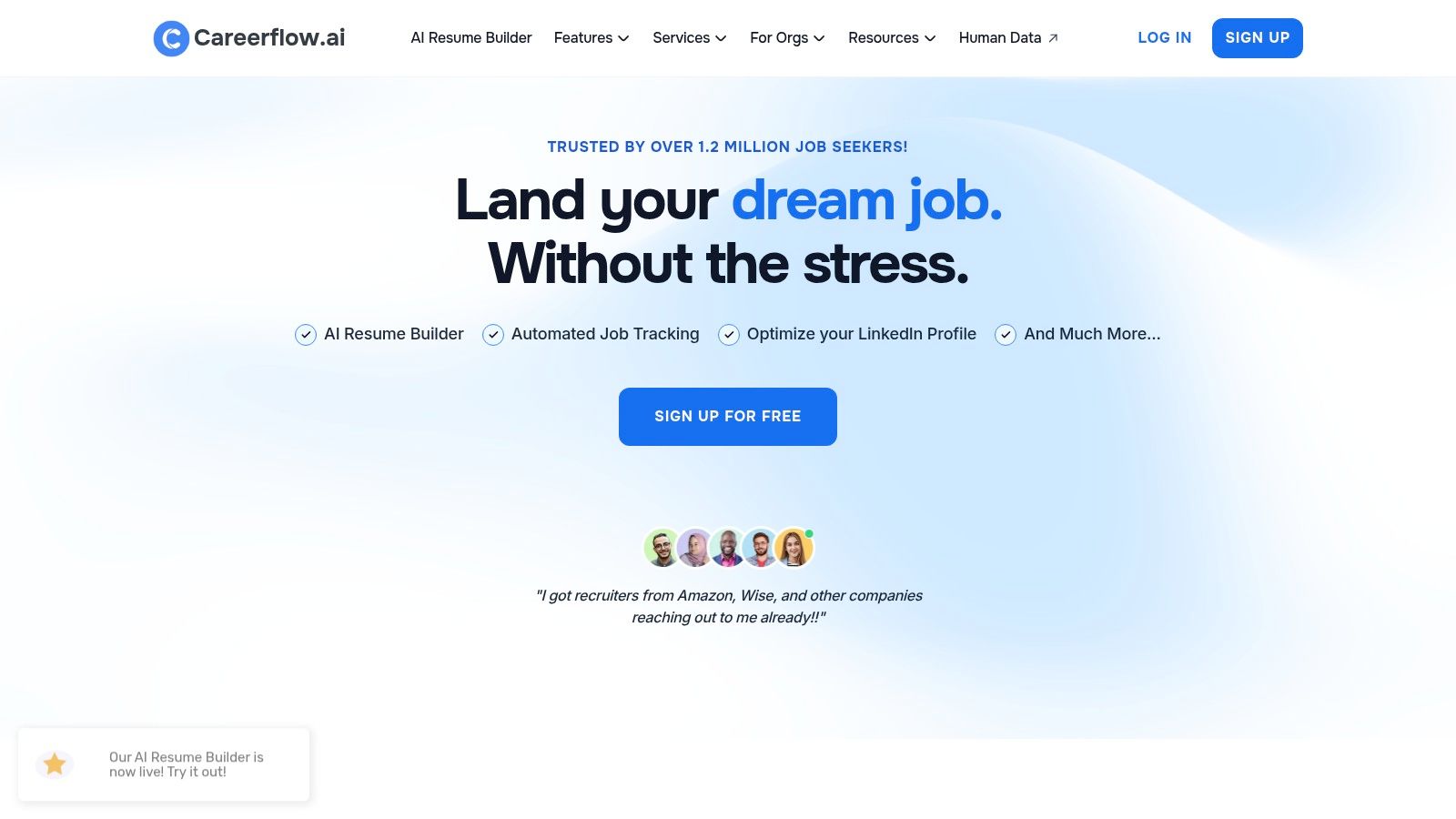
The platform isn't positioned as an auto-apply system. Some tracker limits also apply on the free tier, so candidates managing a large search should check those restrictions before consolidating everything there. Current plans and feature availability are listed on Careerflow.ai.
For a faster alert-and-tailoring workflow, candidates can also compare it with AI job search tools from FindMeJobs. That combination makes sense when Careerflow.ai handles broader career preparation while a separate tool handles rapid role discovery.
Best for: Candidates who want resume, LinkedIn, networking, tracking, and interview tools in one workspace.
Workflow coverage: Broad career preparation, tracking, tailoring, and manual application support.
Control level: High. It assists rather than taking over submissions.
8. Huntr
Huntr is a tracker-first platform with a Kanban-style view of the job search. Users can save postings, assign stages, record notes, manage tasks and contacts, and review metrics. Its Chrome extension captures listings from job boards and ATS sites, reducing the friction between finding a role and recording it.
The platform links AI resume tailoring to saved job descriptions. That connection is important because tailoring only helps when the candidate can later identify which resume version belongs to which role. Huntr keeps that relationship visible, which can reduce the version confusion that develops when applications accumulate.
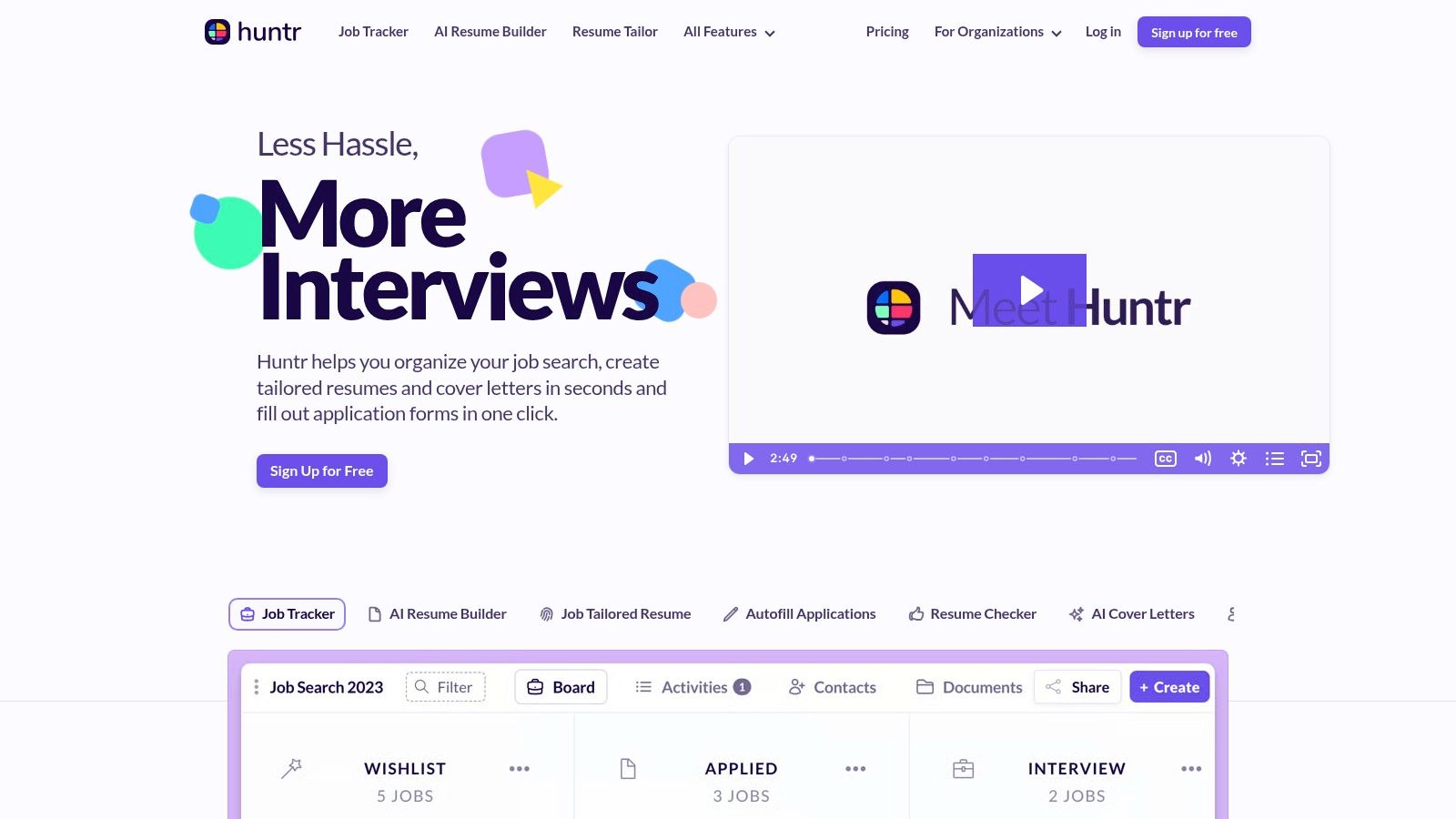
Huntr isn't a full auto-apply solution. It focuses on organization, research, reporting, and resume preparation, so users who need automatic form completion will need another tool. The full feature set requires a paid plan, and current limits should be checked on Huntr.
Candidates who depend on timely notifications can pair a tracker like Huntr with LinkedIn job alerts from FindMeJobs. The logic is straightforward, use one system to surface opportunities quickly and another to preserve application context.
Best for: Organized searches where notes, tasks, contacts, and metrics matter as much as resume editing.
Workflow coverage: Listing capture, tracking, reporting, and saved-job tailoring.
Control level: High, with manual submission.
9. Rezi
Rezi is a resume-builder specialist focused on ATS-friendly structure, keyword targeting, and role-specific versions. Its AI writer and templates help candidates create a strong base resume, then adapt it to individual job descriptions. The Rezi Score provides another layer of guidance for candidates who want a visible signal while revising.
This narrow focus can be an advantage. A candidate who already receives alerts and tracks applications doesn't need another job board. They need a reliable way to create several resume variants without rebuilding the document from scratch each time.
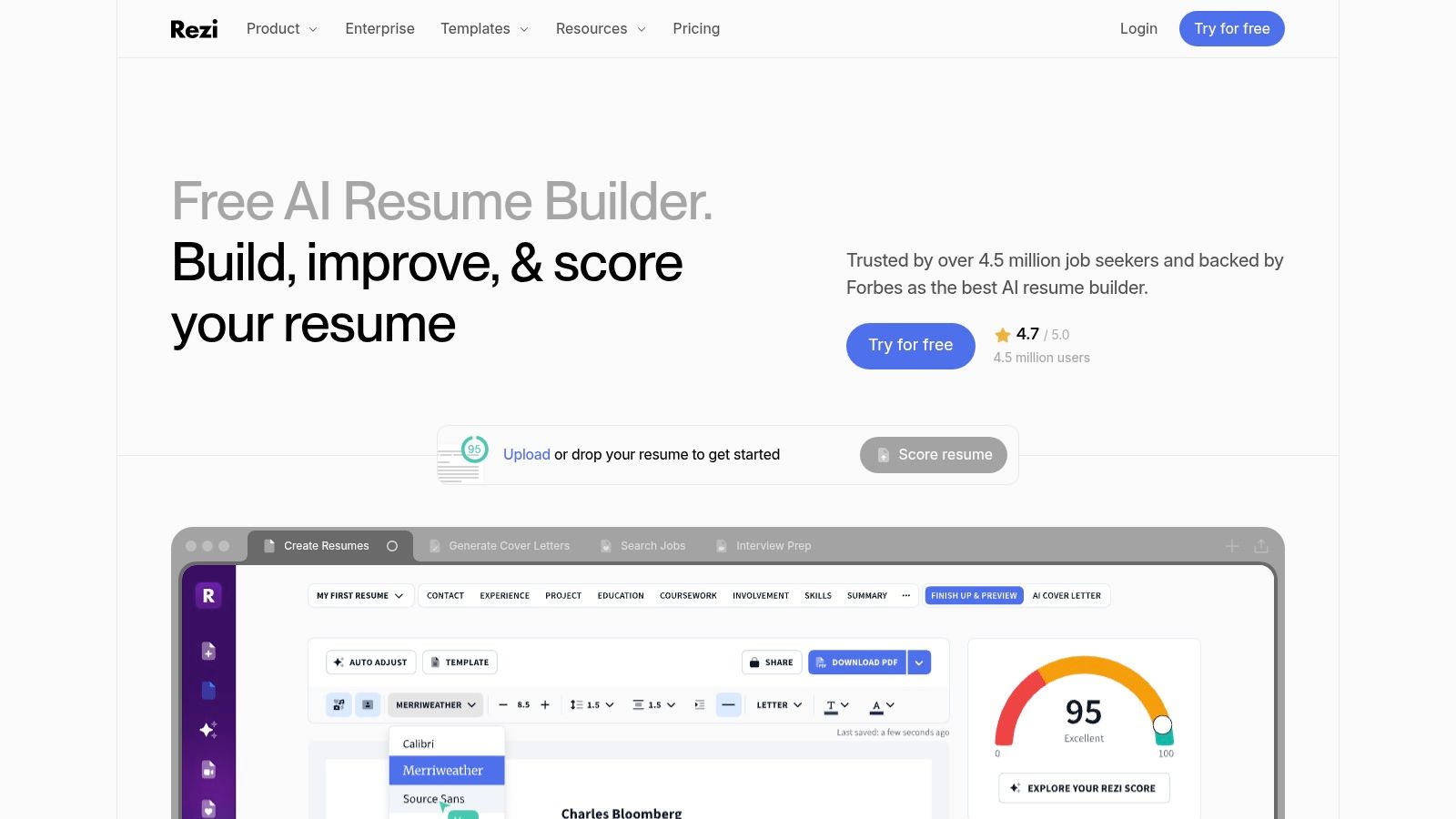
Rezi appears in our ATS resume builder roundup as well, where we compare it against nine other builders on export safety and keyword matching.
Rezi doesn't provide job alerts or a full tracker, and it isn't designed to auto-apply. That means it works best as one layer in a larger workflow. Use it after discovery and before submission, then record the application somewhere else.
Advanced features are behind paid plans. Review current capabilities on Rezi, and compare its output with the employer's requirements rather than treating any score as a hiring prediction. For another route to rapid, targeted resume creation, candidates can also review this resume builder for job applications.
Best for: Candidates producing multiple ATS-conscious resume versions for selected roles.
Workflow coverage: Resume creation, keyword targeting, tailoring, and PDF or DOCX export.
Control level: High. The candidate decides which changes are truthful and relevant.
10. Jobright
Jobright emphasizes fresh discovery. Its aggregation includes company career pages and job boards, while alerts and filters help candidates surface roles early. A Chrome extension adds autofill, one-click application assistance, and resume-tailoring features within the browsing workflow.
That positioning makes Jobright useful for candidates who don't want to rely solely on a single job board's search interface. Company career pages can be an important discovery source, especially when a candidate has a target-employer list and wants to see openings close to publication.
The trade-off is product uncertainty. Public consumer pricing may be shown only inside the app, and the feature set can evolve quickly. Before building your entire search around it, verify which sources, filters, extension functions, and application flows are currently available on Jobright.
Jobright is best understood as a discovery and early-application accelerator, not a guarantee of better outcomes. It can shorten the path from posting to application, but the candidate still needs to confirm fit, review generated materials, and handle questions that require personal judgment.
Best for: Candidates who want fresh listings from company pages and job boards, plus browser-based application assistance.
Workflow coverage: Discovery, alerts, filtering, autofill, resume tailoring, and initial tracking.
Control level: Moderate to high, depending on how much of the extension workflow you use.
Top 10 Job Search Automation Tools Comparison
| Platform | Core features | What it is best at | Differentiator | Target audience | Price |
|---|---|---|---|---|---|
| FindMeJobs | Smart Search Agents; CoApply AI resume edits; ATS-ready PDF export; web and Telegram alerts | Getting you to a new posting first, with a tailored resume ready | Speed-first alerts plus job-specific, selectable resume text edits | Software engineering, product, data, early-career, remote-first | Weekly subscription; 7 day free trial, no card |
| Teal | Job tracker; Chrome clipper; AI resume builder | Keeping a large pipeline organized | Best-in-class tracker interface with a usable free tier | High-volume applicants and coaches | Free basic; paid AI features |
| Simplify | AI matching; autofill extension; resume tailoring; tracker | Cutting the time lost to repetitive forms | One-click autofill across many application sites | Applicants who lose time to forms and follow-ups | Free plus paid |
| LoopCV | Always-on search; autofill and auto-apply; A/B resume testing | Running applications end to end | Auto-apply combined with analytics on resume variants | High-throughput, data-driven applicants | Paid plans |
| Sonara | Continuous discovery; automated submission; tracking | Maximizing submission volume | The "we apply for you" model | Candidates prioritizing volume over per-role control | Paid service |
| Jobscan | Resume vs job description matcher; ATS checks; LinkedIn tools | Diagnosing one resume against one posting | Detailed keyword and ATS scoring | Job seekers and coaches optimizing resumes | Free limited; paid advanced |
| Careerflow.ai | AI resume and templates; LinkedIn optimizer; mock interviews | Broad career preparation in one workspace | Strong LinkedIn profile optimization | Users who want an end-to-end career toolkit | Free tier plus paid upgrades |
| Huntr | Kanban tracker; notes and tasks; resume tailoring; Chrome clipper | Organization, reporting, and application context | Mature tracker with metrics and per-job tailoring | Structured searches, schools, institutions | Free plus paid tiers |
| Rezi | AI resume writer; ATS templates; Rezi Score | Producing many ATS-safe resume versions | ATS-first builder with a visible score while you edit | Users tailoring resumes for many roles | Paid plans |
Frequently Asked Questions
What is the difference between job search automation and auto-apply?
Automation is a spectrum. Alert tools automate discovery, scanners automate resume comparison, autofill tools automate data entry, and trackers automate record-keeping. Auto-apply is the far end, where software submits on your behalf. Most candidates get the biggest gain from the earlier stages, because those save time without giving up control over what an employer actually receives.
Is auto-apply worth it?
It depends on how much per-role control you are willing to give up. Auto-apply raises submission volume, but it cannot answer role-specific questions with context, and weak filters turn into a stream of low-fit applications. If you try it, keep filters narrow, review what was sent, and track responses and interviews rather than application counts.
Do recruiters notice AI-generated applications?
Often, yes, when the material is generic. Survey data reported that 27.1% of workers had submitted a fully AI-generated resume with no edits, which means unedited AI output is now common enough to blend into the pile. Using AI to tailor a resume to a specific posting is a different thing from letting it write the whole document, and the edited version is what stands out.
How many job search tools do I actually need?
Usually two: one that gets you to relevant postings early, and one that keeps your applications and resume versions straight. Add a scanner or builder only if your resume keeps missing the mark on specific postings. Stacking five overlapping subscriptions costs money and adds admin without fixing the bottleneck you actually have.
Build a Workflow That Matches Your Search
There isn't one universal winner among job search automation tools because the bottleneck differs from candidate to candidate. If you miss strong roles because you see them too late, start with an alert-first product such as FindMeJobs or Jobright. If you find enough roles but lose track of applications, Teal or Huntr is a better foundation. If your documents need role-specific alignment, Jobscan or Rezi addresses that narrower problem more directly.
ATS preparation deserves a realistic interpretation. A 2026 survey summary cited ATS use at 99.7% among recruiters and 98.4% among Fortune 500 companies, according to AI resume statistics published by JobCannon. Another compilation reported the Fortune 500 figure differently, at 97.8% for detectable systems in 2025, so readers should treat these figures as source-specific estimates rather than a single definitive market measurement. The practical conclusion is consistent: use readable formatting, mirror relevant language, and verify that exported documents parse correctly.
The evidence also argues against equating more applications with a better process. A large U.S. survey reported in 2026 found that 42.6% of Americans used AI in some form to build their most recent resume, while 20.8% used AI to tailor it to a specific role and 23.5% had used an auto-apply bot or AI agent to submit applications. The same report said 27.1% of workers had submitted a fully AI-generated resume with no edits, as reported by NovoResume's 2026 resume report. That makes human review a competitive safeguard, not merely a stylistic preference.
Choose your control level deliberately:
- Alert-first: Use FindMeJobs when speed and targeted resume edits matter, or Jobright when broad, fresh aggregation is the priority.
- Tracker-centered: Use Teal or Huntr when notes, contacts, stages, and follow-up tasks are the main problem.
- ATS-focused: Use Jobscan or Rezi when you already have roles to pursue and need cleaner job-specific alignment.
- Autofill-focused: Use Simplify when repetitive forms consume your time, but inspect every populated field.
- Auto-apply: Consider LoopCV or Sonara only when you accept less role-by-role control and can maintain narrow filters.
Compare current plan limits before subscribing, verify supported sites, and avoid enabling auto-apply until your filters have produced relevant results. Review AI-generated edits for accuracy, preserve a base resume, and track outcomes such as responses, screens, and interviews rather than celebrating application counts alone. A 2026 randomized controlled trial cited by JobCannon reported that AI resume-writing assistance increased hires by 7.8% across 480,948 jobseekers, which supports using automation to improve materials, but it doesn't prove that every automated workflow or mass-submission strategy will help every candidate.
We built FindMeJobs for the first of those bottlenecks and the third: rapid alerts plus job-specific resume tailoring, with the final application still in your hands. Smart Search Agents, CoApply AI edits, ATS-ready PDF export, and Telegram delivery cover discovery and preparation together, and matching roles usually reach you 0 to 10 minutes after they go live. You still complete the employer's form yourself, which is the point.
FindMeJobs surfaces matching roles while they are still fresh, delivers them to the web app and Telegram, and proposes concrete resume edits for each one you choose. If you want job search automation that improves speed without handing every application to a bot, visit FindMeJobs and start with the 7 day free trial, no card required.